
备注
Go to the end 下载完整的示例代码.
以编程方式控制子图调整#
备注
此示例主要用于展示 Matplotlib 中的一些高级概念.
如果您只是想为标签留出足够的空间,那么通常最简单且足够好的方法是使用 Figure.subplots_adjust 手动设置子图参数,或者使用自动布局机制之一( 约束布局指南 或 Tight layout guide ).
本示例介绍了一种用户定义的方式来读取 Artist 大小并相应地设置子图参数.其主要目的是说明一些高级概念,例如读取文本位置,使用边界框和变换以及使用 events .但是,如果您想自动化布局并且需要比紧密布局和约束布局更大的灵活性,它也可以作为起点.
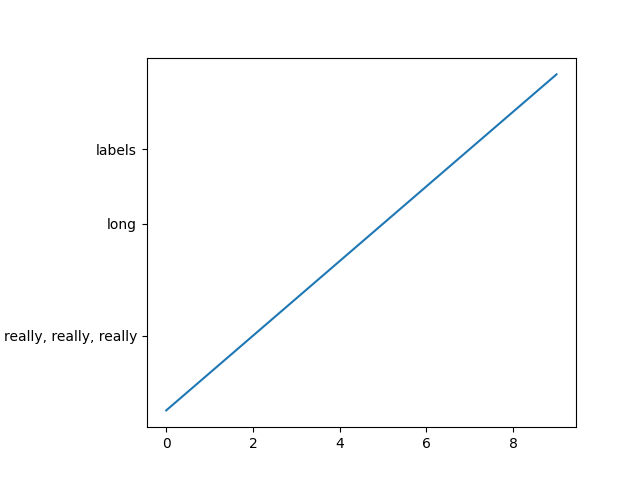
下面,我们收集所有 y 标签的边界框,并将子图的左边框向右移动,使其为所有边界框的并集留出足够的空间.
计算文本边界框时有一个问题:查询文本边界框( Text.get_window_extent )需要一个渲染器( RendererBase 实例)来计算文本大小.此渲染器仅在图形绘制后( Figure.draw )才可用.
解决此问题的方法是将调整逻辑放入绘制回调中.此函数在图形绘制后执行.它现在可以检查子图是否为文本留出足够的空间.如果不是,则更新子图参数并触发第二次绘制.
import matplotlib.pyplot as plt

import matplotlib.transforms as mtransforms

fig, ax = plt.subplots()
ax.plot(range(10))
ax.set_yticks([2, 5, 7], labels=['really, really, really', 'long', 'labels'])


def on_draw(event):
    bboxes = []
    for label in ax.get_yticklabels():
        # Bounding box in pixels
        bbox_px = label.get_window_extent()
        # Transform to relative figure coordinates. This is the inverse of
        # transFigure.
        bbox_fig = bbox_px.transformed(fig.transFigure.inverted())
        bboxes.append(bbox_fig)
    # the bbox that bounds all the bboxes, again in relative figure coords
    bbox = mtransforms.Bbox.union(bboxes)
    if fig.subplotpars.left < bbox.width:
        # Move the subplot left edge more to the right
        fig.subplots_adjust(left=1.1*bbox.width)  # pad a little
        fig.canvas.draw()


fig.canvas.mpl_connect('draw_event', on_draw)

plt.show()
参考
以下函数,方法,类和模块的用法在本例中显示:
matplotlib.artist.Artist.get_window_extentmatplotlib.transforms.Bboxmatplotlib.transforms.BboxBase.transformedmatplotlib.transforms.BboxBase.unionmatplotlib.transforms.Transform.invertedmatplotlib.figure.Figure.subplots_adjustmatplotlib.gridspec.SubplotParamsmatplotlib.backend_bases.FigureCanvasBase.mpl_connect