
备注
Go to the end 下载完整的示例代码.
连接具有不同属性的文本对象#
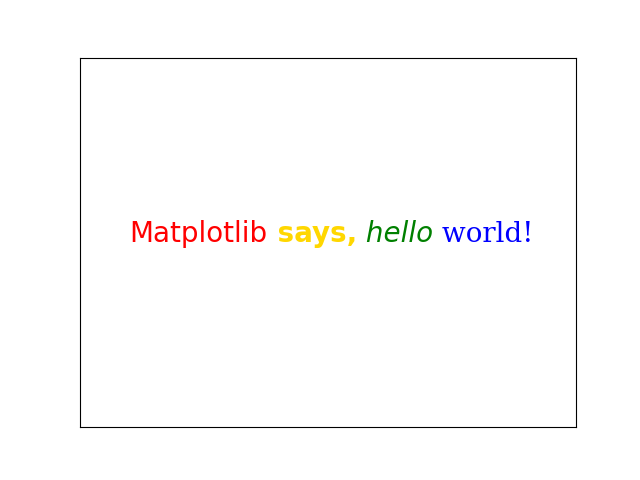
该示例将具有不同属性(例如,颜色或字体)的多个 Text 对象连接在一起,并将每个对象依次定位.第一个 Text 是直接使用 text 创建的;所有后续文本都是使用 annotate 创建的,这允许将 Text 的左下角定位到前一个文本的右下角 ( xy=(1, 0) ) ( xycoords=text ).
import matplotlib.pyplot as plt

plt.rcParams["font.size"] = 20
ax = plt.figure().add_subplot(xticks=[], yticks=[])

# The first word, created with text().
text = ax.text(.1, .5, "Matplotlib", color="red")
# Subsequent words, positioned with annotate(), relative to the preceding one.
text = ax.annotate(
    " says,", xycoords=text, xy=(1, 0), verticalalignment="bottom",
    color="gold", weight="bold")  # custom properties
text = ax.annotate(
    " hello", xycoords=text, xy=(1, 0), verticalalignment="bottom",
    color="green", style="italic")  # custom properties
text = ax.annotate(
    " world!", xycoords=text, xy=(1, 0), verticalalignment="bottom",
    color="blue", family="serif")  # custom properties

plt.show()