
备注
Go to the end 下载完整示例代码.
pcolormesh网格和阴影#
axes.Axes.pcolormesh 和 pcolor 对于网格的布局方式以及网格点之间的阴影有一些选项.
通常,如果 Z 的形状为 (M, N),则网格 X 和 Y 可以指定为形状 (M+1, N+1) 或 (M, N),具体取决于 shading 关键字参数的参数. 请注意,下面我们将向量 x 指定为长度 N 或 N+1,将 y 指定为长度 M 或 M+1, pcolormesh 在内部从输入向量创建网格矩阵 X 和 Y.
import matplotlib.pyplot as plt
import numpy as np
平面阴影#
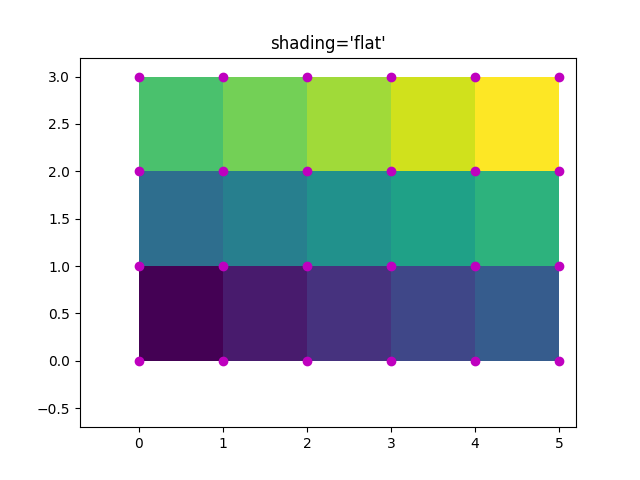
假设最少的网格规范是 shading='flat' ,如果网格在每个维度上比数据大一个,即形状为 (M+1, N+1). 在这种情况下,X 和 Y 指定四边形的角,这些四边形使用 Z 中的值着色. 这里我们使用 (4, 6) 的 X 和 Y 指定 (3, 5) 四边形的边.
nrows = 3
ncols = 5
Z = np.arange(nrows * ncols).reshape(nrows, ncols)
x = np.arange(ncols + 1)
y = np.arange(nrows + 1)

fig, ax = plt.subplots()
ax.pcolormesh(x, y, Z, shading='flat', vmin=Z.min(), vmax=Z.max())


def _annotate(ax, x, y, title):
    # this all gets repeated below:
    X, Y = np.meshgrid(x, y)
    ax.plot(X.flat, Y.flat, 'o', color='m')
    ax.set_xlim(-0.7, 5.2)
    ax.set_ylim(-0.7, 3.2)
    ax.set_title(title)

_annotate(ax, x, y, "shading='flat'")
平面阴影,相同形状网格#
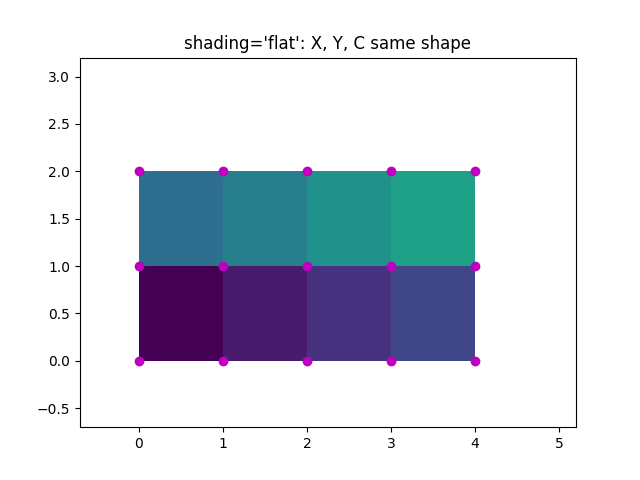
然而,通常情况下,提供的数据中 X 和 Y 与 Z 的形状相匹配. 虽然这对于其他 shading 类型是有意义的,但在 shading='flat' 时是不允许的. 历史上,Matplotlib 在这种情况下默默地丢弃了 Z 的最后一行和最后一列,以匹配 Matlab 的行为. 如果仍然需要此行为,只需手动删除最后一行和最后一列:
x = np.arange(ncols)  # note *not* ncols + 1 as before
y = np.arange(nrows)
fig, ax = plt.subplots()
ax.pcolormesh(x, y, Z[:-1, :-1], shading='flat', vmin=Z.min(), vmax=Z.max())
_annotate(ax, x, y, "shading='flat': X, Y, C same shape")
最近邻着色,相同形状网格#
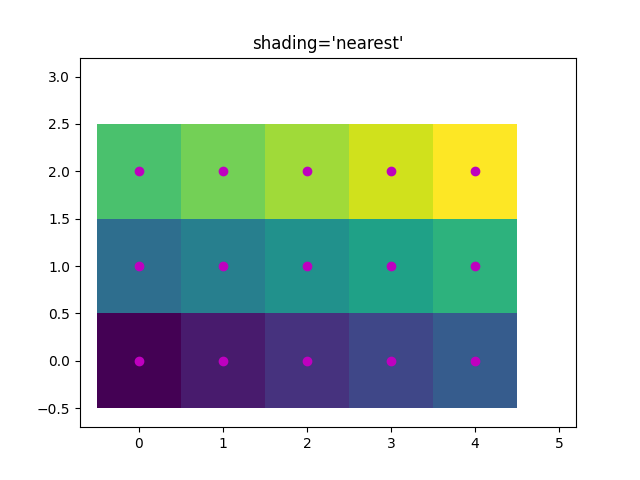
通常,当用户使 X,Y 和 Z 都具有相同的形状时,删除一行和一列数据并不是用户的本意.对于这种情况,Matplotlib 允许 shading='nearest' 并将着色的四边形居中于网格点上.
如果传递的网格形状不正确,并且设置了 shading='nearest' ,则会引发错误.
fig, ax = plt.subplots()
ax.pcolormesh(x, y, Z, shading='nearest', vmin=Z.min(), vmax=Z.max())
_annotate(ax, x, y, "shading='nearest'")
自动着色#
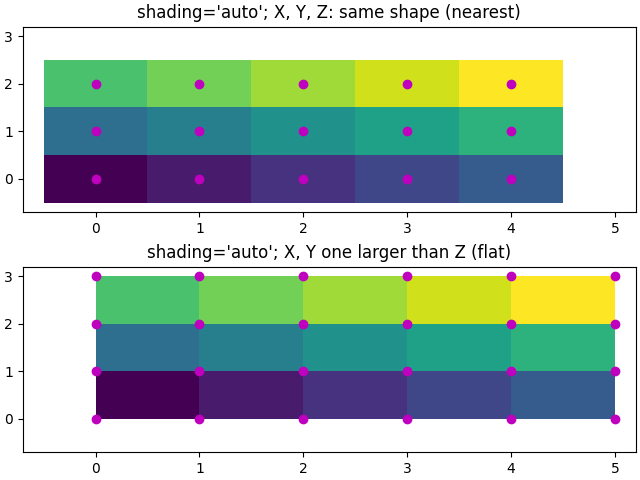
用户可能希望代码自动选择使用哪种着色方式,在这种情况下, shading='auto' 将根据 X,Y 和 Z 的形状来决定使用 'flat' 还是 'nearest' 着色.
fig, axs = plt.subplots(2, 1, layout='constrained')
ax = axs[0]
x = np.arange(ncols)
y = np.arange(nrows)
ax.pcolormesh(x, y, Z, shading='auto', vmin=Z.min(), vmax=Z.max())
_annotate(ax, x, y, "shading='auto'; X, Y, Z: same shape (nearest)")

ax = axs[1]
x = np.arange(ncols + 1)
y = np.arange(nrows + 1)
ax.pcolormesh(x, y, Z, shading='auto', vmin=Z.min(), vmax=Z.max())
_annotate(ax, x, y, "shading='auto'; X, Y one larger than Z (flat)")
Gouraud 着色#
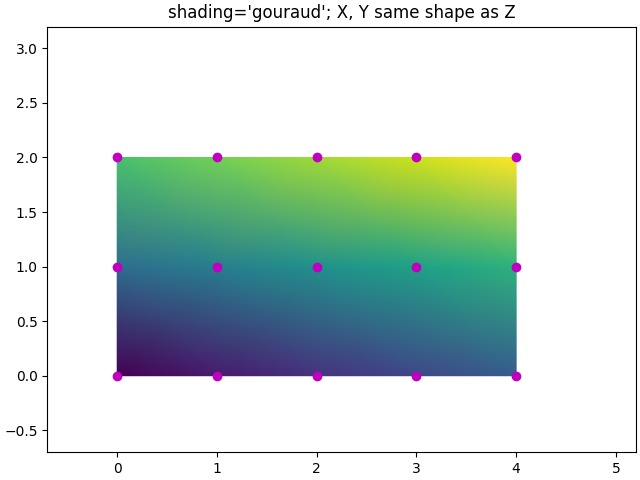
也可以指定 Gouraud shading ,其中四边形中的颜色在网格点之间线性插值.X,Y,Z 的形状必须相同.
fig, ax = plt.subplots(layout='constrained')
x = np.arange(ncols)
y = np.arange(nrows)
ax.pcolormesh(x, y, Z, shading='gouraud', vmin=Z.min(), vmax=Z.max())
_annotate(ax, x, y, "shading='gouraud'; X, Y same shape as Z")

plt.show()
参考
以下函数,方法,类和模块的用法在本例中显示:
matplotlib.axes.Axes.pcolormesh/matplotlib.pyplot.pcolormesh
脚本的总运行时间:(0 分 1.287 秒)