
备注
Go to the end 以下载完整示例代码.
轮廓演示#
演示简单的轮廓图,带有轮廓颜色条的图像上的轮廓以及带标签的轮廓.
另请参见 contour image example .
import matplotlib.pyplot as plt
import numpy as np

import matplotlib.cm as cm

delta = 0.025
x = np.arange(-3.0, 3.0, delta)
y = np.arange(-2.0, 2.0, delta)
X, Y = np.meshgrid(x, y)
Z1 = np.exp(-X**2 - Y**2)
Z2 = np.exp(-(X - 1)**2 - (Y - 1)**2)
Z = (Z1 - Z2) * 2
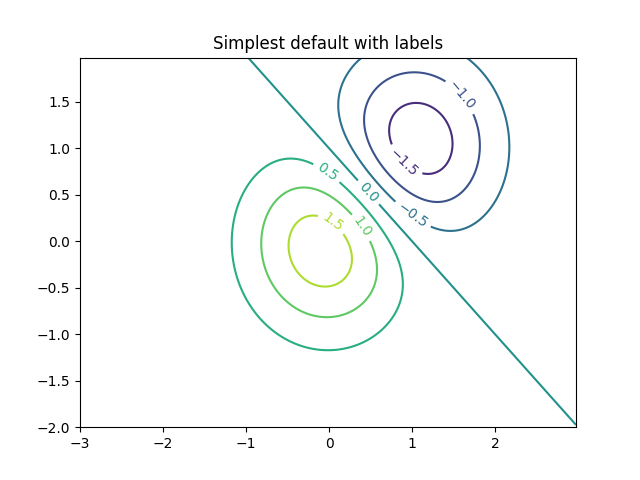
使用默认颜色创建带有标签的简单轮廓图.clabel 的 inline 参数将控制标签是否绘制在轮廓线的线段上,从而删除标签下方的线条.
fig, ax = plt.subplots()
CS = ax.contour(X, Y, Z)
ax.clabel(CS, fontsize=10)
ax.set_title('Simplest default with labels')
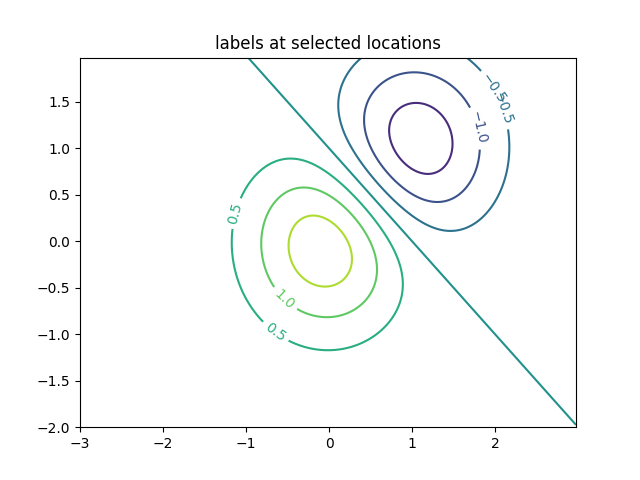
可以通过提供位置列表(以数据坐标表示)手动放置轮廓标签.有关交互式放置,请参见 交互函数 .
fig, ax = plt.subplots()
CS = ax.contour(X, Y, Z)
manual_locations = [
    (-1, -1.4), (-0.62, -0.7), (-2, 0.5), (1.7, 1.2), (2.0, 1.4), (2.4, 1.7)]
ax.clabel(CS, fontsize=10, manual=manual_locations)
ax.set_title('labels at selected locations')
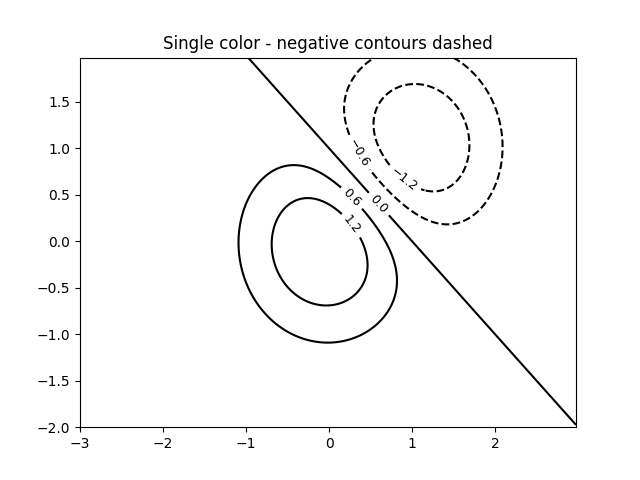
您可以强制所有轮廓都使用相同的颜色.
fig, ax = plt.subplots()
CS = ax.contour(X, Y, Z, 6, colors='k')  # Negative contours default to dashed.
ax.clabel(CS, fontsize=9)
ax.set_title('Single color - negative contours dashed')
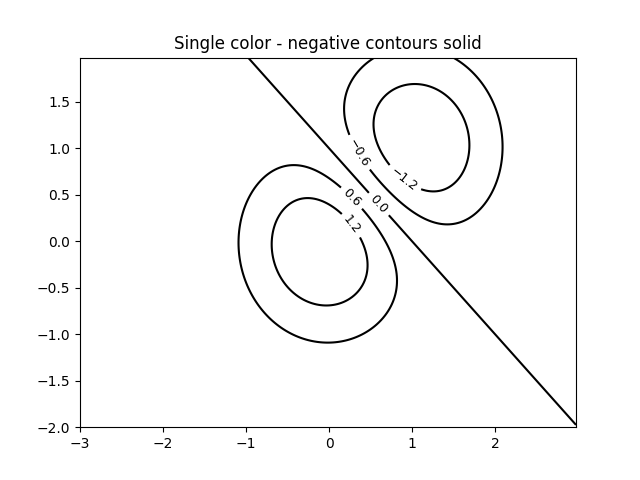
您可以将负轮廓设置为实线而不是虚线:
plt.rcParams['contour.negative_linestyle'] = 'solid'
fig, ax = plt.subplots()
CS = ax.contour(X, Y, Z, 6, colors='k')  # Negative contours default to dashed.
ax.clabel(CS, fontsize=9)
ax.set_title('Single color - negative contours solid')
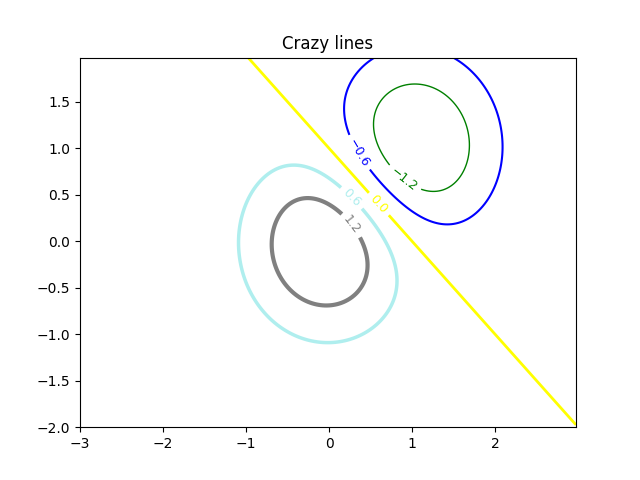
您可以手动指定轮廓的颜色
fig, ax = plt.subplots()
CS = ax.contour(X, Y, Z, 6,
                linewidths=np.arange(.5, 4, .5),
                colors=('r', 'green', 'blue', (1, 1, 0), '#afeeee', '0.5'),
                )
ax.clabel(CS, fontsize=9)
ax.set_title('Crazy lines')
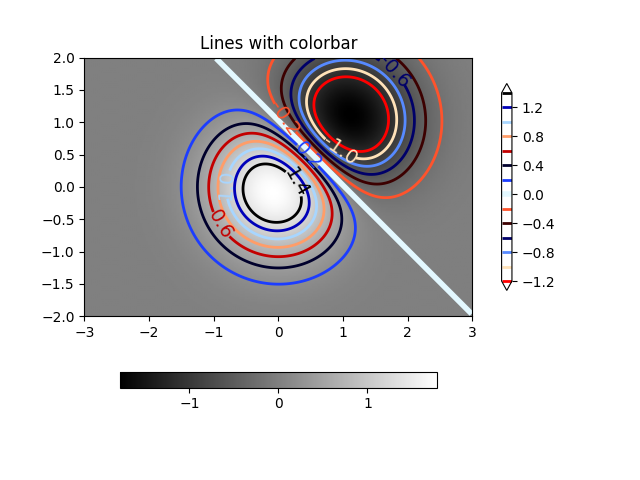
或者您可以使用颜色图来指定颜色; 默认颜色图将用于轮廓线
fig, ax = plt.subplots()
im = ax.imshow(Z, interpolation='bilinear', origin='lower',
               cmap=cm.gray, extent=(-3, 3, -2, 2))
levels = np.arange(-1.2, 1.6, 0.2)
CS = ax.contour(Z, levels, origin='lower', cmap='flag', extend='both',
                linewidths=2, extent=(-3, 3, -2, 2))

# Thicken the zero contour.
lws = np.resize(CS.get_linewidth(), len(levels))
lws[6] = 4
CS.set_linewidth(lws)

ax.clabel(CS, levels[1::2],  # label every second level
          fmt='%1.1f', fontsize=14)

# make a colorbar for the contour lines
CB = fig.colorbar(CS, shrink=0.8)

ax.set_title('Lines with colorbar')

# We can still add a colorbar for the image, too.
CBI = fig.colorbar(im, orientation='horizontal', shrink=0.8)

# This makes the original colorbar look a bit out of place,
# so let's improve its position.

l, b, w, h = ax.get_position().bounds
ll, bb, ww, hh = CB.ax.get_position().bounds
CB.ax.set_position([ll, b + 0.1*h, ww, h*0.8])

plt.show()
参考
以下函数,方法,类和模块的用法在本例中显示:
matplotlib.axes.Axes.contour/matplotlib.pyplot.contourmatplotlib.figure.Figure.colorbar/matplotlib.pyplot.colorbarmatplotlib.axes.Axes.clabel/matplotlib.pyplot.clabelmatplotlib.axes.Axes.get_positionmatplotlib.axes.Axes.set_position
脚本的总运行时间:(0 分 1.851 秒)