
备注
Go to the end 下载完整的示例代码.
多边形选择器#
展示如何以编程方式或交互方式创建多边形
import matplotlib.pyplot as plt

from matplotlib.widgets import PolygonSelector
以编程方式创建多边形
fig, ax = plt.subplots()
fig.show()

selector = PolygonSelector(ax, lambda *args: None)

# Add three vertices
selector.verts = [(0.1, 0.4), (0.5, 0.9), (0.3, 0.2)]
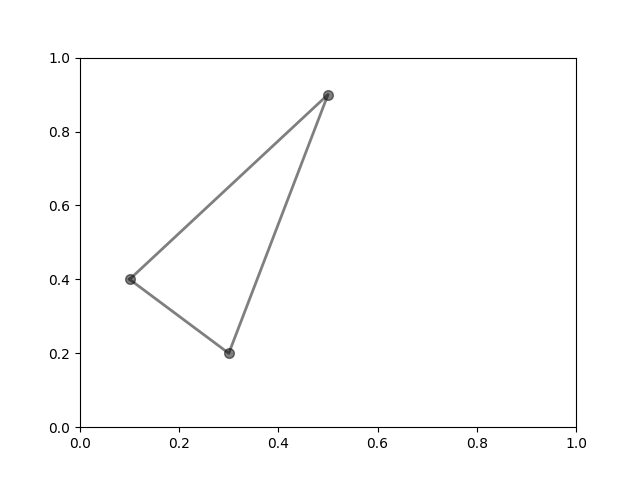
以交互方式创建多边形
fig2, ax2 = plt.subplots()
fig2.show()

selector2 = PolygonSelector(ax2, lambda *args: None)

print("Click on the figure to create a polygon.")
print("Press the 'esc' key to start a new polygon.")
print("Try holding the 'shift' key to move all of the vertices.")
print("Try holding the 'ctrl' key to move a single vertex.")
Click on the figure to create a polygon.
Press the 'esc' key to start a new polygon.
Try holding the 'shift' key to move all of the vertices.
Try holding the 'ctrl' key to move a single vertex.
参考
以下函数,方法,类和模块的用法在本例中显示:
matplotlib.widgets.PolygonSelector