
备注
Go to the end 以下载完整的示例代码.
自动换行文本#
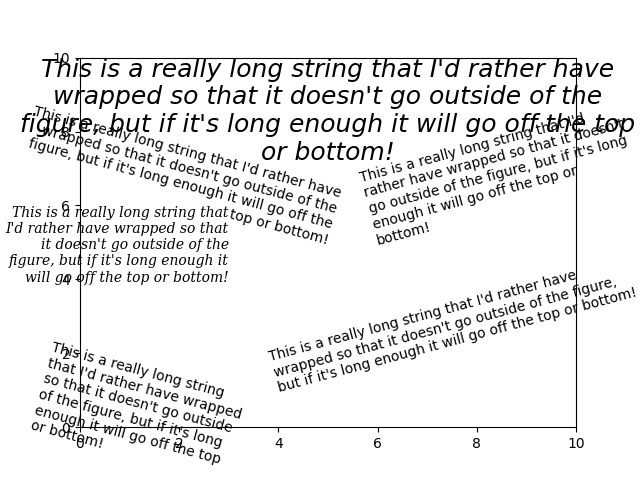
Matplotlib 可以自动换行文本,但如果文本太长,仍然会稍微显示在坐标轴边界之外.
注意:自动换行不能与 savefig(..., bbox_inches='tight') 一起使用."tight"设置会重新缩放画布以适应所有内容,并且发生在换行之前.这会影响 IPython 和 Jupyter 笔记本中的 %matplotlib inline ,在这种情况下,inline 设置默认在保存图像以嵌入时使用 bbox_inches='tight' .
import matplotlib.pyplot as plt

fig = plt.figure()
plt.axis((0, 10, 0, 10))
t = ("This is a really long string that I'd rather have wrapped so that it "
     "doesn't go outside of the figure, but if it's long enough it will go "
     "off the top or bottom!")
plt.text(4, 1, t, ha='left', rotation=15, wrap=True)
plt.text(6, 5, t, ha='left', rotation=15, wrap=True)
plt.text(5, 5, t, ha='right', rotation=-15, wrap=True)
plt.text(5, 10, t, fontsize=18, style='oblique', ha='center',
         va='top', wrap=True)
plt.text(3, 4, t, family='serif', style='italic', ha='right', wrap=True)
plt.text(-1, 0, t, ha='left', rotation=-15, wrap=True)

plt.show()