
备注
Go to the end 下载完整的示例代码.
椭圆演示#
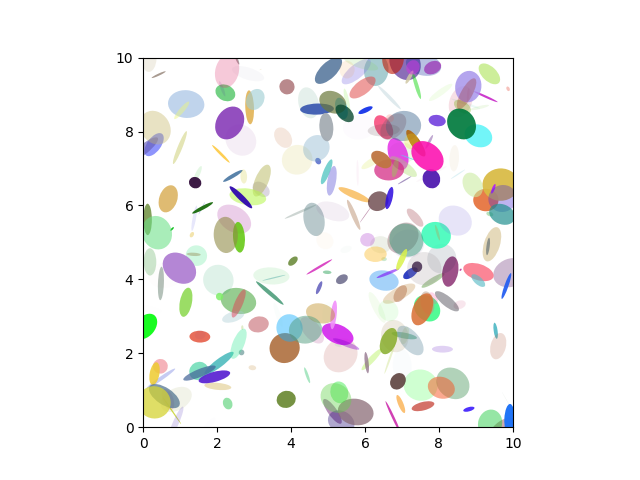
绘制多个椭圆.这里绘制了单独的椭圆.将其与 Ellipse collection example 进行比较.
import matplotlib.pyplot as plt
import numpy as np

from matplotlib.patches import Ellipse

# Fixing random state for reproducibility
np.random.seed(19680801)

NUM = 250

ells = [Ellipse(xy=np.random.rand(2) * 10,
                width=np.random.rand(), height=np.random.rand(),
                angle=np.random.rand() * 360)
        for i in range(NUM)]

fig, ax = plt.subplots()
ax.set(xlim=(0, 10), ylim=(0, 10), aspect="equal")

for e in ells:
    ax.add_artist(e)
    e.set_clip_box(ax.bbox)
    e.set_alpha(np.random.rand())
    e.set_facecolor(np.random.rand(3))

plt.show()
旋转的椭圆#
绘制具有不同角度的多个椭圆.
angle_step = 45  # degrees
angles = np.arange(0, 180, angle_step)

fig, ax = plt.subplots()
ax.set(xlim=(-2.2, 2.2), ylim=(-2.2, 2.2), aspect="equal")

for angle in angles:
    ellipse = Ellipse((0, 0), 4, 2, angle=angle, alpha=0.1)
    ax.add_artist(ellipse)

plt.show()

参考
以下函数,方法,类和模块的用法在本例中显示:
matplotlib.patchesmatplotlib.patches.Ellipsematplotlib.axes.Axes.add_artistmatplotlib.artist.Artist.set_clip_boxmatplotlib.artist.Artist.set_alphamatplotlib.patches.Patch.set_facecolor