
备注
Go to the end 下载完整的示例代码.
使用 plt.subplots 创建多个子图#
pyplot.subplots 通过一次调用创建一个图形和一个子图网格,同时提供对如何创建各个绘图的合理控制.对于更高级的用例,你可以使用 GridSpec 来实现更通用的子图布局,或者使用 Figure.add_subplot 在图形内的任意位置添加子图.
import matplotlib.pyplot as plt
import numpy as np

# Some example data to display
x = np.linspace(0, 2 * np.pi, 400)
y = np.sin(x ** 2)
只有一个子图的图形#
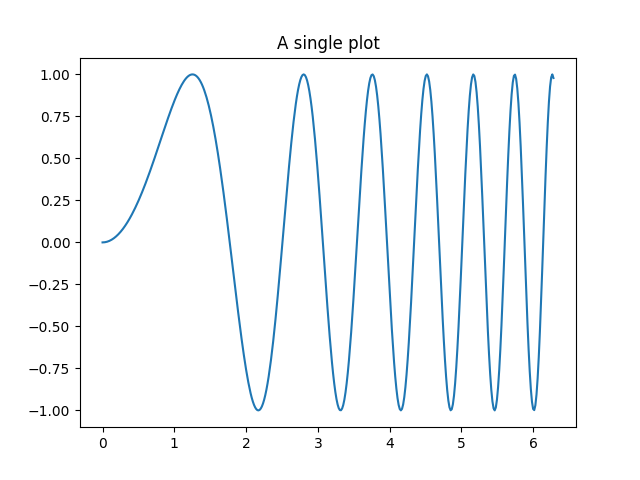
不带参数的 subplots() 返回一个 Figure 和一个单独的 Axes .
这实际上是创建单个图形和轴的最简单和推荐的方法.
fig, ax = plt.subplots()
ax.plot(x, y)
ax.set_title('A single plot')
在一个方向上堆叠子图#
pyplot.subplots 的前两个可选参数定义了子图网格的行数和列数.
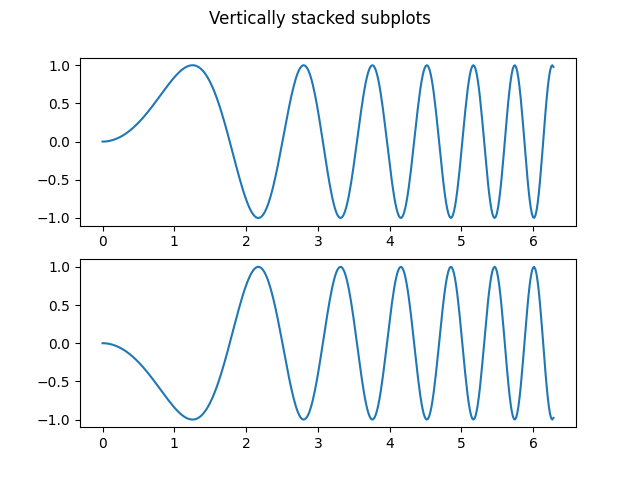
当仅在一个方向上堆叠时,返回的 axs 是一个包含已创建轴的列表的一维 numpy 数组.
fig, axs = plt.subplots(2)
fig.suptitle('Vertically stacked subplots')
axs[0].plot(x, y)
axs[1].plot(x, -y)
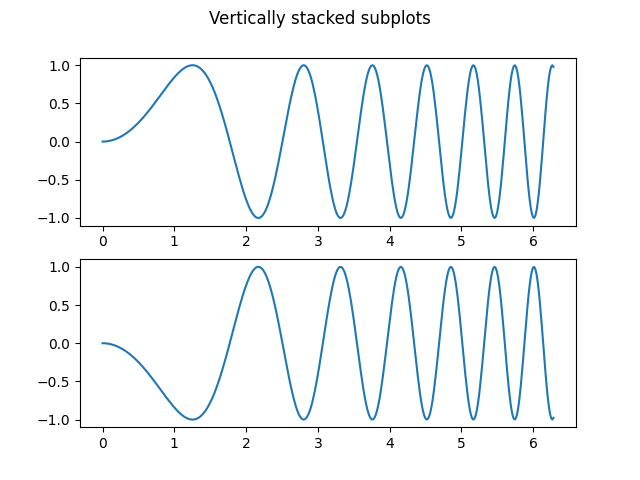
如果你只创建几个轴,立即将它们解包到每个轴的专用变量是很方便的. 这样,我们可以使用 ax1 而不是更冗长的 axs[0] .
fig, (ax1, ax2) = plt.subplots(2)
fig.suptitle('Vertically stacked subplots')
ax1.plot(x, y)
ax2.plot(x, -y)
要获得并排的子图,请传递参数 1, 2 以表示一行和两列.
fig, (ax1, ax2) = plt.subplots(1, 2)
fig.suptitle('Horizontally stacked subplots')
ax1.plot(x, y)
ax2.plot(x, -y)

在两个方向上堆叠子图#
当在两个方向上堆叠时,返回的 axs 是一个二维 NumPy 数组.
如果你必须为每个子图设置参数,那么使用 for ax in axs.flat: 遍历二维网格中的所有子图是很方便的.
fig, axs = plt.subplots(2, 2)
axs[0, 0].plot(x, y)
axs[0, 0].set_title('Axis [0, 0]')
axs[0, 1].plot(x, y, 'tab:orange')
axs[0, 1].set_title('Axis [0, 1]')
axs[1, 0].plot(x, -y, 'tab:green')
axs[1, 0].set_title('Axis [1, 0]')
axs[1, 1].plot(x, -y, 'tab:red')
axs[1, 1].set_title('Axis [1, 1]')

for ax in axs.flat:
    ax.set(xlabel='x-label', ylabel='y-label')

# Hide x labels and tick labels for top plots and y ticks for right plots.
for ax in axs.flat:
    ax.label_outer()
![Axis [0, 0], Axis [0, 1], Axis [1, 0], Axis [1, 1]](../../_images/sphx_glr_subplots_demo_005.png)
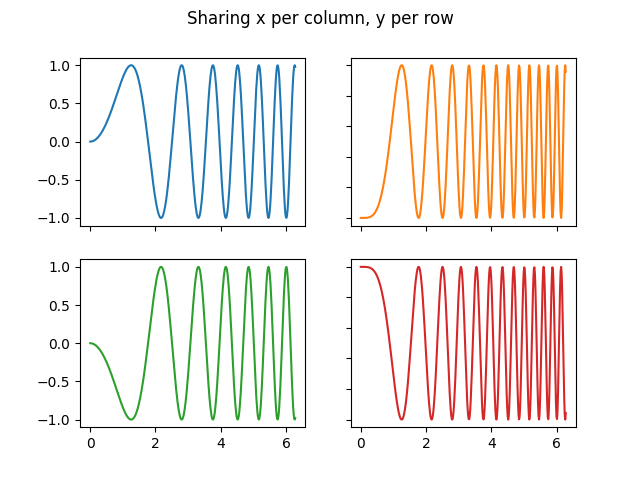
你也可以在 2D 中使用元组解包将所有子图分配给专用变量:
fig, ((ax1, ax2), (ax3, ax4)) = plt.subplots(2, 2)
fig.suptitle('Sharing x per column, y per row')
ax1.plot(x, y)
ax2.plot(x, y**2, 'tab:orange')
ax3.plot(x, -y, 'tab:green')
ax4.plot(x, -y**2, 'tab:red')

for ax in fig.get_axes():
    ax.label_outer()
共享轴#
默认情况下,每个轴都是单独缩放的. 因此,如果范围不同,则子图的刻度值不会对齐.
fig, (ax1, ax2) = plt.subplots(2)
fig.suptitle('Axes values are scaled individually by default')
ax1.plot(x, y)
ax2.plot(x + 1, -y)
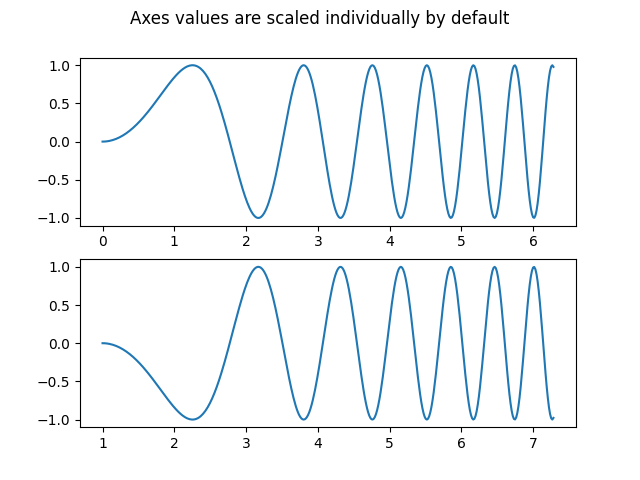
你可以使用 sharex 或 sharey 来对齐水平或垂直轴.
fig, (ax1, ax2) = plt.subplots(2, sharex=True)
fig.suptitle('Aligning x-axis using sharex')
ax1.plot(x, y)
ax2.plot(x + 1, -y)

将 sharex 或 sharey 设置为 True 可以在整个网格中启用全局共享,即,当使用 sharey=True 时,垂直堆叠的子图的 y 轴也具有相同的比例.
fig, axs = plt.subplots(3, sharex=True, sharey=True)
fig.suptitle('Sharing both axes')
axs[0].plot(x, y ** 2)
axs[1].plot(x, 0.3 * y, 'o')
axs[2].plot(x, y, '+')
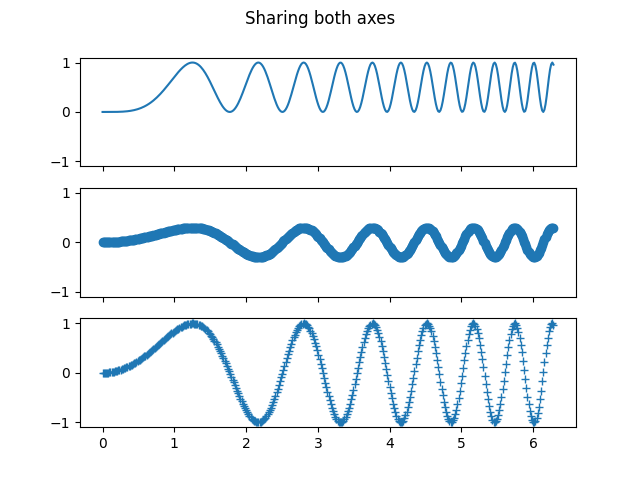
对于共享轴的子图,一组刻度标签就足够了. sharex 和 sharey 会自动删除内部轴的刻度标签. 但是,子图之间仍然存在未使用的空白空间.
要精确控制子图的位置,可以显式使用 Figure.add_gridspec 创建一个 GridSpec ,然后调用其 subplots 方法. 例如,我们可以使用 add_gridspec(hspace=0) 减少垂直子图之间的高度.
label_outer 是一种方便的方法,可以从不在网格边缘的子图中删除标签和刻度.
fig = plt.figure()
gs = fig.add_gridspec(3, hspace=0)
axs = gs.subplots(sharex=True, sharey=True)
fig.suptitle('Sharing both axes')
axs[0].plot(x, y ** 2)
axs[1].plot(x, 0.3 * y, 'o')
axs[2].plot(x, y, '+')

# Hide x labels and tick labels for all but bottom plot.
for ax in axs:
    ax.label_outer()
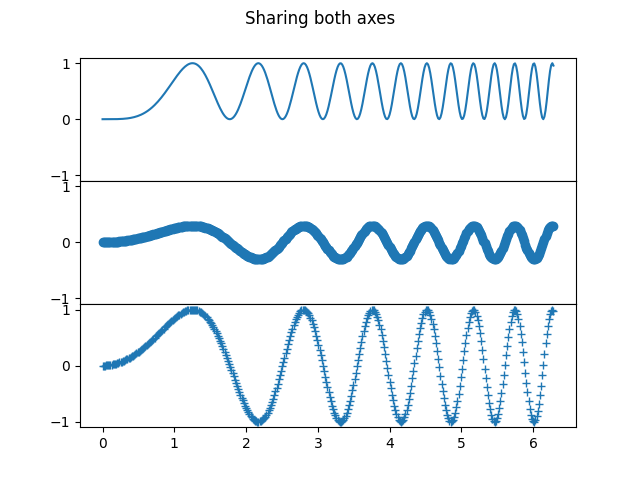
除了 True 和 False 之外,sharex 和 sharey 都接受值"row"和"col",以仅按行或列共享值.
fig = plt.figure()
gs = fig.add_gridspec(2, 2, hspace=0, wspace=0)
(ax1, ax2), (ax3, ax4) = gs.subplots(sharex='col', sharey='row')
fig.suptitle('Sharing x per column, y per row')
ax1.plot(x, y)
ax2.plot(x, y**2, 'tab:orange')
ax3.plot(x + 1, -y, 'tab:green')
ax4.plot(x + 2, -y**2, 'tab:red')

for ax in fig.get_axes():
    ax.label_outer()
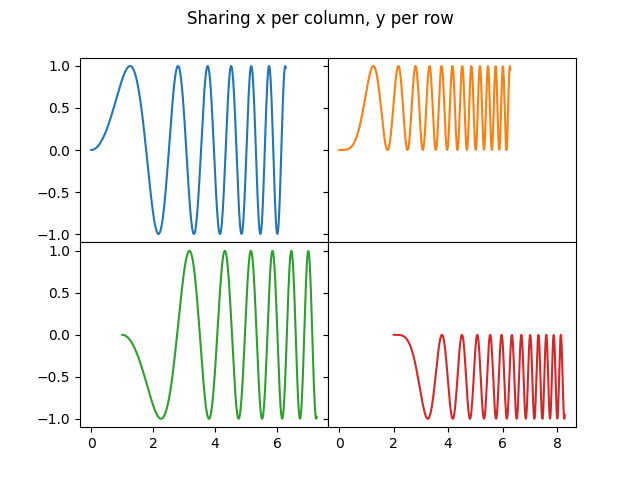
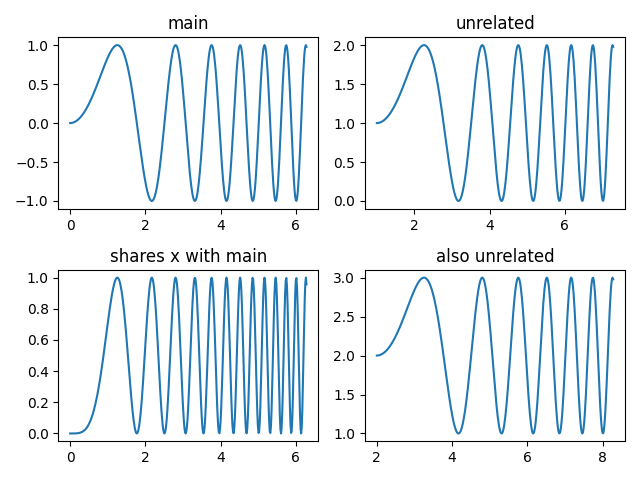
如果需要更复杂的共享结构,可以首先创建没有共享的轴网格,然后调用 axes.Axes.sharex 或 axes.Axes.sharey 以事后添加共享信息.
fig, axs = plt.subplots(2, 2)
axs[0, 0].plot(x, y)
axs[0, 0].set_title("main")
axs[1, 0].plot(x, y**2)
axs[1, 0].set_title("shares x with main")
axs[1, 0].sharex(axs[0, 0])
axs[0, 1].plot(x + 1, y + 1)
axs[0, 1].set_title("unrelated")
axs[1, 1].plot(x + 2, y + 2)
axs[1, 1].set_title("also unrelated")
fig.tight_layout()
极坐标轴#
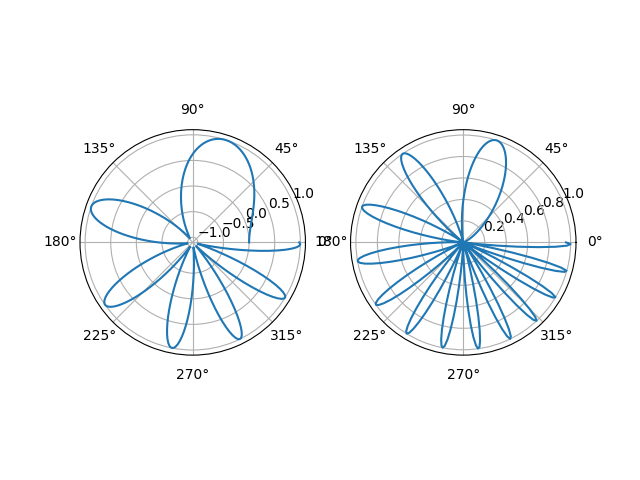
pyplot.subplots 的参数 subplot_kw 控制子图属性(另请参见 Figure.add_subplot ). 特别是,这可以用于创建极坐标轴网格.
fig, (ax1, ax2) = plt.subplots(1, 2, subplot_kw=dict(projection='polar'))
ax1.plot(x, y)
ax2.plot(x, y ** 2)

plt.show()
脚本的总运行时间:(0 分钟 5.130 秒)