
备注
Go to the end 下载完整的示例代码.
标记子图#
标记子图相对简单,并且各不相同,因此 Matplotlib 没有通用的方法来做到这一点.
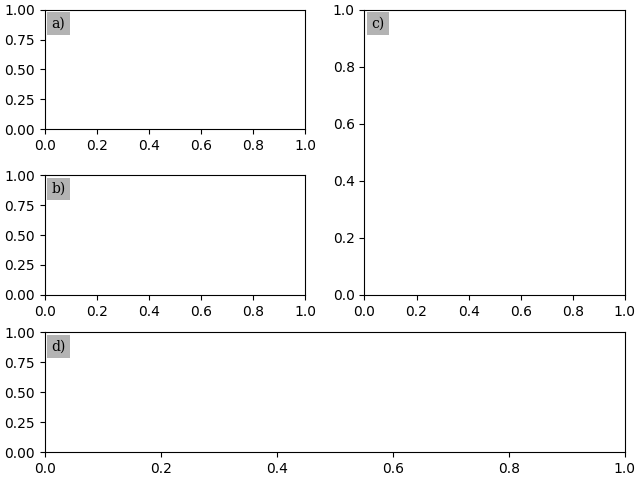
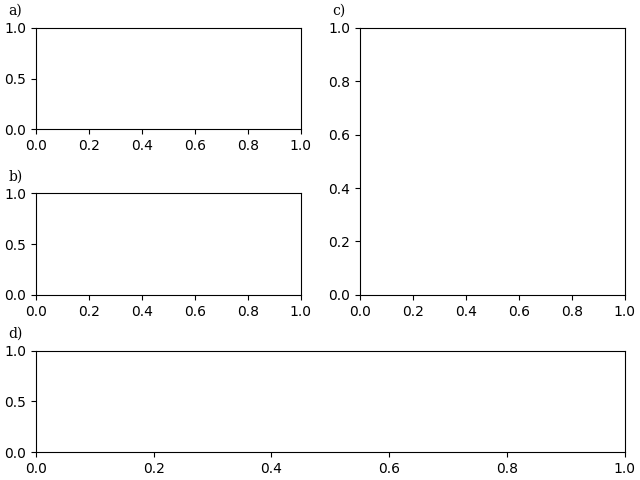
我们展示了两种方法,可以将文本定位在距离 Axes 角落给定的物理偏移量(以 fontsize 单位或点为单位):一种是使用 annotate ,另一种是使用 ScaledTranslation .
为方便起见,此示例使用 pyplot.subplot_mosaic 和子图标签作为子图的键.但是,该方法也适用于 pyplot.subplots 或与您要标记子图的标签不同的键.
import matplotlib.pyplot as plt

from matplotlib.transforms import ScaledTranslation
fig, axs = plt.subplot_mosaic([['a)', 'c)'], ['b)', 'c)'], ['d)', 'd)']],
                              layout='constrained')
for label, ax in axs.items():
    # Use Axes.annotate to put the label
    # - at the top left corner (axes fraction (0, 1)),
    # - offset half-a-fontsize right and half-a-fontsize down
    #   (offset fontsize (+0.5, -0.5)),
    # i.e. just inside the axes.
    ax.annotate(
        label,
        xy=(0, 1), xycoords='axes fraction',
        xytext=(+0.5, -0.5), textcoords='offset fontsize',
        fontsize='medium', verticalalignment='top', fontfamily='serif',
        bbox=dict(facecolor='0.7', edgecolor='none', pad=3.0))
fig, axs = plt.subplot_mosaic([['a)', 'c)'], ['b)', 'c)'], ['d)', 'd)']],
                              layout='constrained')
for label, ax in axs.items():
    # Use ScaledTranslation to put the label
    # - at the top left corner (axes fraction (0, 1)),
    # - offset 20 pixels left and 7 pixels up (offset points (-20, +7)),
    # i.e. just outside the axes.
    ax.text(
        0.0, 1.0, label, transform=(
            ax.transAxes + ScaledTranslation(-20/72, +7/72, fig.dpi_scale_trans)),
        fontsize='medium', va='bottom', fontfamily='serif')
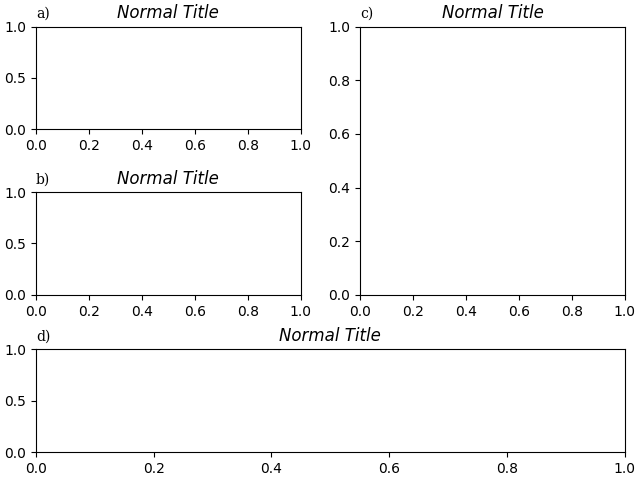
如果我们希望它与标题对齐,可以将它合并到标题中,或者使用 loc 关键字参数:
fig, axs = plt.subplot_mosaic([['a)', 'c)'], ['b)', 'c)'], ['d)', 'd)']],
                              layout='constrained')
for label, ax in axs.items():
    ax.set_title('Normal Title', fontstyle='italic')
    ax.set_title(label, fontfamily='serif', loc='left', fontsize='medium')

plt.show()
参考
以下函数,方法,类和模块的用法在本例中显示:
matplotlib.figure.Figure.subplot_mosaic/matplotlib.pyplot.subplot_mosaicmatplotlib.axes.Axes.set_titlematplotlib.axes.Axes.annotate
脚本的总运行时间:(0 分 2.598 秒)