备注
Go to the end 下载完整的示例代码.
反转轴#
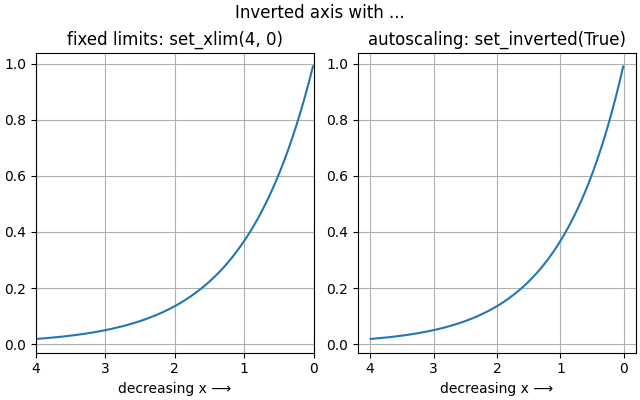
本示例演示了两种反转轴方向的方法:
如果你想无论如何都要设置显式的轴范围,例如通过
set_xlim,你可以交换范围值:set_xlim(4, 0)而不是set_xlim(0, 4).如果你只想反转轴而不修改范围,即保持现有范围或现有自动缩放行为,请使用
Axis.set_inverted.
import matplotlib.pyplot as plt
import numpy as np

x = np.arange(0.01, 4.0, 0.01)
y = np.exp(-x)

fig, (ax1, ax2) = plt.subplots(1, 2, figsize=(6.4,  4), layout="constrained")
fig.suptitle('Inverted axis with ...')

ax1.plot(x, y)
ax1.set_xlim(4, 0)   # inverted fixed limits
ax1.set_title('fixed limits: set_xlim(4, 0)')
ax1.set_xlabel('decreasing x ⟶')
ax1.grid(True)

ax2.plot(x, y)
ax2.xaxis.set_inverted(True)  # inverted axis with autoscaling
ax2.set_title('autoscaling: set_inverted(True)')
ax2.set_xlabel('decreasing x ⟶')
ax2.grid(True)

plt.show()