
备注
Go to the end 下载完整的示例代码.
标题定位#
Matplotlib 可以显示居中,与一组 Axes 的左侧对齐以及与一组 Axes 的右侧对齐的绘图标题.
import matplotlib.pyplot as plt

plt.plot(range(10))

plt.title('Center Title')
plt.title('Left Title', loc='left')
plt.title('Right Title', loc='right')

plt.show()
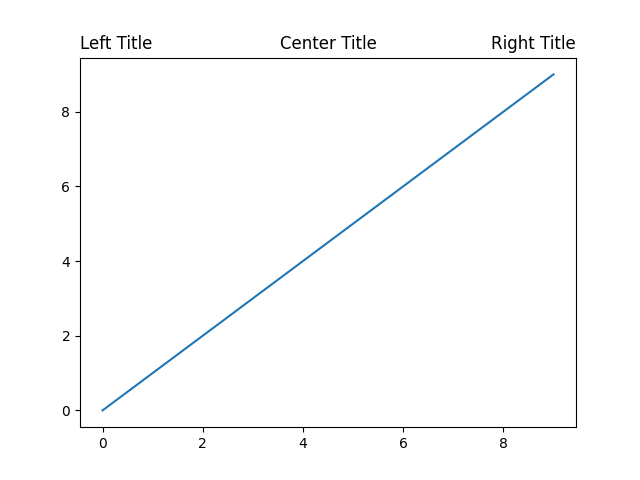
垂直位置是自动选择的,以避免最上面的 x 轴上的装饰(即标签和刻度):
fig, axs = plt.subplots(1, 2, layout='constrained')

ax = axs[0]
ax.plot(range(10))
ax.xaxis.set_label_position('top')
ax.set_xlabel('X-label')
ax.set_title('Center Title')

ax = axs[1]
ax.plot(range(10))
ax.xaxis.set_label_position('top')
ax.xaxis.tick_top()
ax.set_xlabel('X-label')
ax.set_title('Center Title')
plt.show()
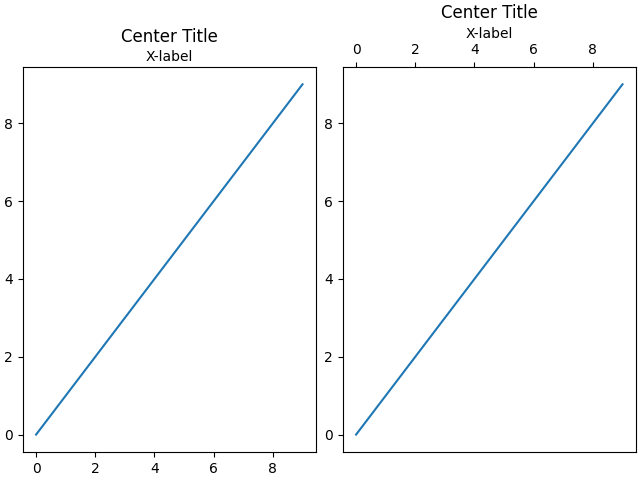
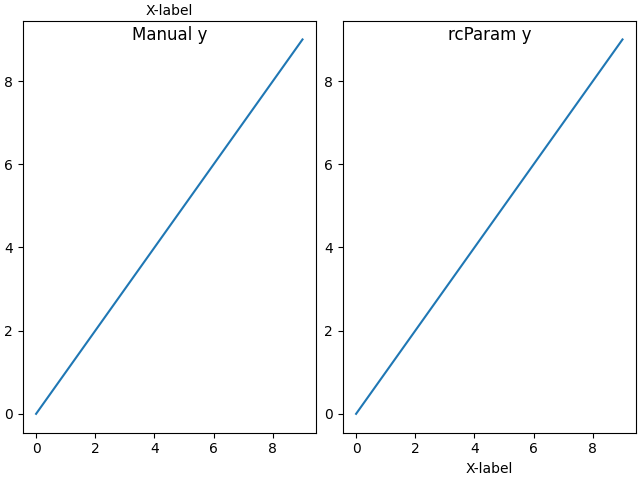
可以通过手动为标题指定 y 关键字参数或在 rcParams 中设置 rcParams["axes.titley"] (default: None) 来关闭自动定位.
fig, axs = plt.subplots(1, 2, layout='constrained')

ax = axs[0]
ax.plot(range(10))
ax.xaxis.set_label_position('top')
ax.set_xlabel('X-label')
ax.set_title('Manual y', y=1.0, pad=-14)

plt.rcParams['axes.titley'] = 1.0    # y is in axes-relative coordinates.
plt.rcParams['axes.titlepad'] = -14  # pad is in points...
ax = axs[1]
ax.plot(range(10))
ax.set_xlabel('X-label')
ax.set_title('rcParam y')

plt.show()
脚本的总运行时间:(0 分 1.437 秒)