
备注
Go to the end 下载完整的示例代码.
在 Figure 中排列多个 Axes#
通常,希望在一个图中同时显示多个 Axes,通常组织成规则的网格.Matplotlib 有各种各样的工具用于处理 Axes 网格,这些工具在库的历史中不断发展.在这里,我们将讨论用户应该最常使用的工具,这些工具支持 Axes 的组织方式,并提及一些旧的工具.
备注
Matplotlib 使用 Axes 来指代包含数据,x 轴和 y 轴,刻度,标签,标题等的绘图区域.有关更多详细信息,请参阅 Figure 的组成部分 .另一个经常使用的术语是"子图 (subplot)",它指的是与其他 Axes 对象位于网格中的 Axes.
概述#
创建网格形状的 Axes 组合#
subplots用于创建图形和 Axes 网格的主要函数.它一次性创建并将所有 Axes 放置在图形上,并返回一个对象数组,其中包含网格中 Axes 的句柄.请参阅
Figure.subplots.
或
subplot_mosaic一种创建图形和 Axes 网格的简单方法,增加的灵活性是 Axes 也可以跨行或跨列.Axes 在标记的字典中返回,而不是数组.另请参阅
Figure.subplot_mosaic和 复杂和语义图形合成(subplot_mosaic) .
有时很自然地拥有不止一组不同的 Axes 网格,在这种情况下,Matplotlib 具有 SubFigure 的概念:
SubFigure图形中的虚拟图形.
底层工具#
支持这些的是 GridSpec 和 SubplotSpec 的概念:
GridSpec指定放置子图的网格的几何形状.需要设置网格的行数和列数.可以选择调整子图的布局参数(例如,左,右等).
SubplotSpec指定子图在给定
GridSpec中的位置.
一次添加单个Axes#
上述函数在一个函数调用中创建所有Axes.也可以一次添加一个Axes,这最初是Matplotlib的工作方式.这样做通常不太优雅和灵活,但有时对于交互式工作或将Axes放置在自定义位置很有用:
add_axes在图形宽度或高度的分数中,在由
[left, bottom, width, height]指定的位置添加单个Axes.subplot或Figure.add_subplot在图形上添加单个子图,使用从1开始的索引(继承自Matlab).可以通过指定网格单元格范围来跨越列和行.
subplot2grid类似于
pyplot.subplot,但使用从0开始的索引和二维python切片来选择单元格.
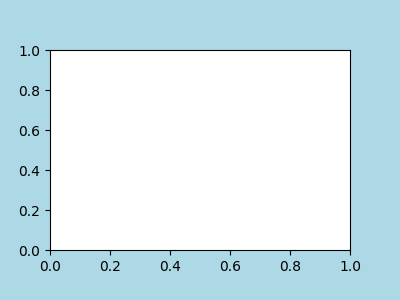
作为一个手动添加Axes ax的简单示例,让我们向一个4英寸x 3英寸的图形添加一个3英寸x 2英寸的Axes.请注意,子图的位置被定义为图形归一化单位中的[left, bottom, width, height]:
import matplotlib.pyplot as plt
import numpy as np

w, h = 4, 3
margin = 0.5
fig = plt.figure(figsize=(w, h), facecolor='lightblue')
ax = fig.add_axes([margin / w, margin / h, (w - 2 * margin) / w,
                      (h - 2 * margin) / h])
用于创建网格的高级方法#
基本2x2网格#
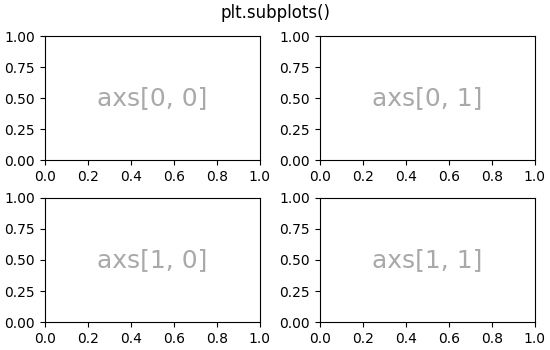
我们可以使用 subplots 创建一个基本的2x2 Axes网格.它返回一个 Figure 实例和一个 Axes 对象数组.Axes对象可用于访问在Axes上放置艺术家的方法;这里我们使用 annotate ,但其他示例可能是 plot , pcolormesh 等.
fig, axs = plt.subplots(ncols=2, nrows=2, figsize=(5.5, 3.5),
                        layout="constrained")
# add an artist, in this case a nice label in the middle...
for row in range(2):
    for col in range(2):
        axs[row, col].annotate(f'axs[{row}, {col}]', (0.5, 0.5),
                               transform=axs[row, col].transAxes,
                               ha='center', va='center', fontsize=18,
                               color='darkgrey')
fig.suptitle('plt.subplots()')
我们将注释大量的Axes,所以让我们封装注释,而不是每次需要它时都有那么大一段注释代码:
def annotate_axes(ax, text, fontsize=18):
    ax.text(0.5, 0.5, text, transform=ax.transAxes,
            ha="center", va="center", fontsize=fontsize, color="darkgrey")
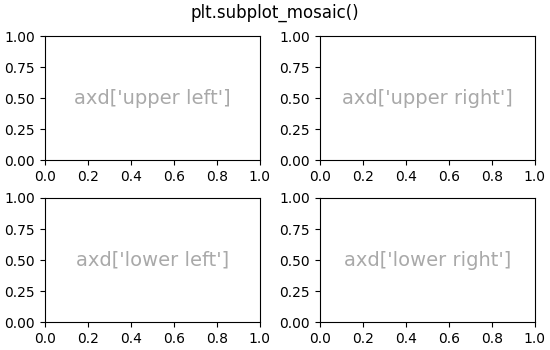
使用 subplot_mosaic 可以达到相同的效果,但返回类型是一个字典而不是数组,用户可以为键赋予有用的含义.这里我们提供两个列表,每个列表代表一行,列表中的每个元素代表一列的键.
fig, axd = plt.subplot_mosaic([['upper left', 'upper right'],
                               ['lower left', 'lower right']],
                              figsize=(5.5, 3.5), layout="constrained")
for k, ax in axd.items():
    annotate_axes(ax, f'axd[{k!r}]', fontsize=14)
fig.suptitle('plt.subplot_mosaic()')
固定纵横比的Axes网格#
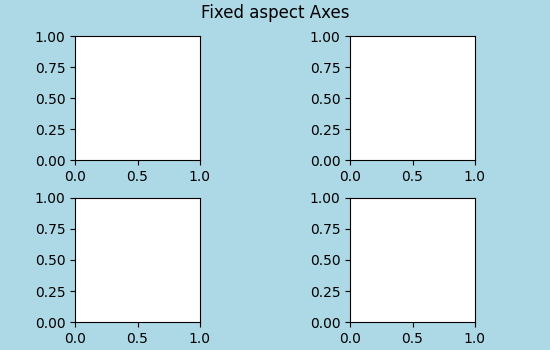
固定纵横比的Axes对于图像或地图来说很常见.然而,它们给布局带来了一个挑战,因为有两组约束被施加在Axes的大小上--它们适合在图形中,并且它们具有设定的纵横比.这导致默认情况下Axes之间存在很大的间隙:
fig, axs = plt.subplots(2, 2, layout="constrained",
                        figsize=(5.5, 3.5), facecolor='lightblue')
for ax in axs.flat:
    ax.set_aspect(1)
fig.suptitle('Fixed aspect Axes')
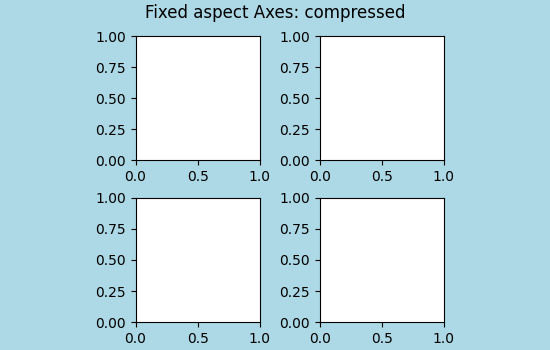
解决这个问题的一个方法是改变图形的纵横比,使其接近Axes的纵横比,然而这需要反复试验.Matplotlib还提供了 layout="compressed" ,它将与简单的网格一起工作,以减少Axes之间的间隙.( mpl_toolkits 还提供了 ImageGrid 来实现类似的效果,但使用非标准的Axes类).
fig, axs = plt.subplots(2, 2, layout="compressed", figsize=(5.5, 3.5),
                        facecolor='lightblue')
for ax in axs.flat:
    ax.set_aspect(1)
fig.suptitle('Fixed aspect Axes: compressed')
Axes跨越网格中的行或列#
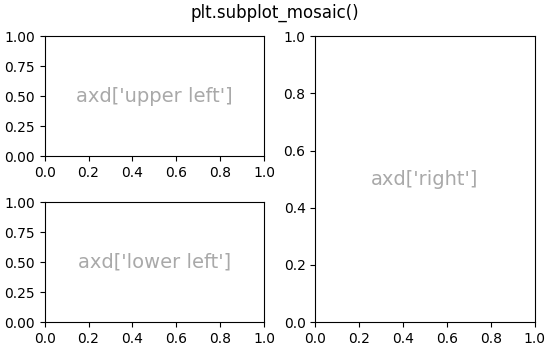
有时我们希望Axes跨越网格的行或列.实际上有很多方法可以做到这一点,但最方便的可能是通过重复其中一个键来使用 subplot_mosaic :
fig, axd = plt.subplot_mosaic([['upper left', 'right'],
                               ['lower left', 'right']],
                              figsize=(5.5, 3.5), layout="constrained")
for k, ax in axd.items():
    annotate_axes(ax, f'axd[{k!r}]', fontsize=14)
fig.suptitle('plt.subplot_mosaic()')
有关如何使用 GridSpec 或 subplot2grid 完成相同操作的说明,请参见下文.
网格中的可变宽度或高度#
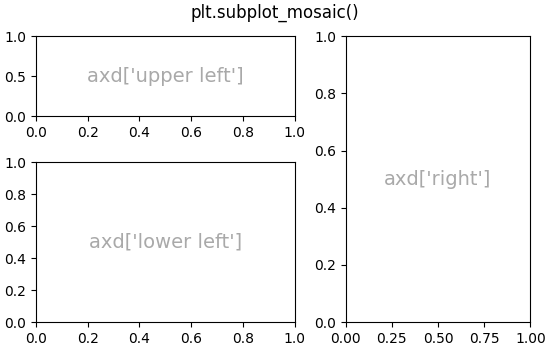
subplots 和 subplot_mosaic 都允许网格中的行具有不同的高度,列具有不同的宽度,这可以通过gridspec_kw关键字参数来实现. GridSpec 接受的间距参数可以传递给 subplots 和 subplot_mosaic :
gs_kw = dict(width_ratios=[1.4, 1], height_ratios=[1, 2])
fig, axd = plt.subplot_mosaic([['upper left', 'right'],
                               ['lower left', 'right']],
                              gridspec_kw=gs_kw, figsize=(5.5, 3.5),
                              layout="constrained")
for k, ax in axd.items():
    annotate_axes(ax, f'axd[{k!r}]', fontsize=14)
fig.suptitle('plt.subplot_mosaic()')
嵌套的Axes布局#
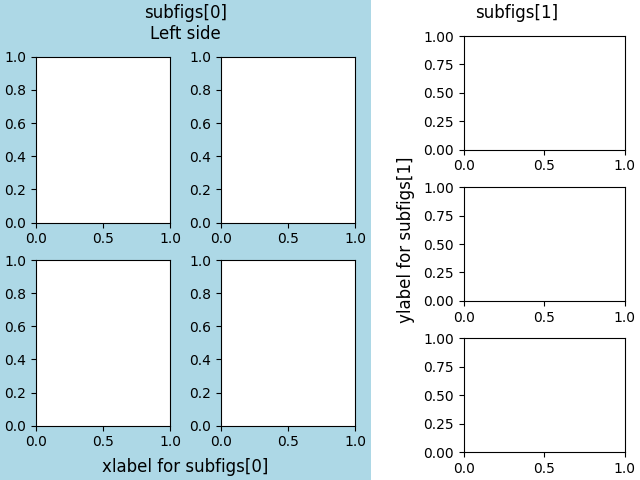
有时拥有两个或多个Axes网格可能不需要彼此关联是有帮助的.完成此操作最简单的方法是使用 Figure.subfigures .请注意,子图形的布局是独立的,因此每个子图形中的Axes脊柱不一定对齐.有关使用 GridSpecFromSubplotSpec 实现相同效果的更详细方法,请参见下文.
fig = plt.figure(layout="constrained")
subfigs = fig.subfigures(1, 2, wspace=0.07, width_ratios=[1.5, 1.])
axs0 = subfigs[0].subplots(2, 2)
subfigs[0].set_facecolor('lightblue')
subfigs[0].suptitle('subfigs[0]\nLeft side')
subfigs[0].supxlabel('xlabel for subfigs[0]')

axs1 = subfigs[1].subplots(3, 1)
subfigs[1].suptitle('subfigs[1]')
subfigs[1].supylabel('ylabel for subfigs[1]')
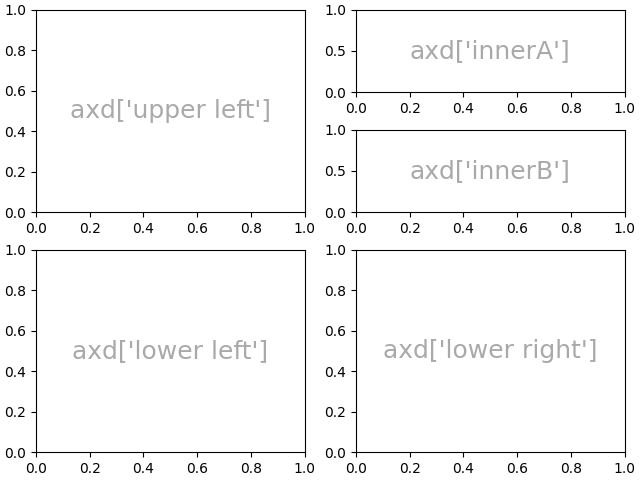
也可以使用嵌套列表,使用 subplot_mosaic 嵌套Axes.这种方法不使用子图,就像上面一样,因此无法添加每个子图的 suptitle 和 supxlabel 等.相反,它是 subgridspec 方法周围的便捷包装器(wrapper),如下所述.
inner = [['innerA'],
         ['innerB']]
outer = [['upper left',  inner],
          ['lower left', 'lower right']]

fig, axd = plt.subplot_mosaic(outer, layout="constrained")
for k, ax in axd.items():
    annotate_axes(ax, f'axd[{k!r}]')
底层和高级网格方法#
在内部,Axes 网格的排列是通过创建 GridSpec 和 SubplotSpec 的实例来控制的.GridSpec 定义了一个(可能不均匀的)网格单元.索引 GridSpec 会返回一个 SubplotSpec,它覆盖一个或多个网格单元,并且可以用于指定 Axes 的位置.
以下示例展示了如何使用底层方法,通过 GridSpec 对象来排列 Axes.
基本2x2网格#
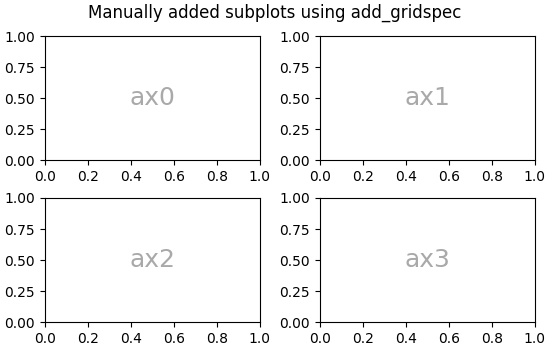
我们可以用与 plt.subplots(2, 2) 相同的方式实现一个 2x2 的网格:
fig = plt.figure(figsize=(5.5, 3.5), layout="constrained")
spec = fig.add_gridspec(ncols=2, nrows=2)

ax0 = fig.add_subplot(spec[0, 0])
annotate_axes(ax0, 'ax0')

ax1 = fig.add_subplot(spec[0, 1])
annotate_axes(ax1, 'ax1')

ax2 = fig.add_subplot(spec[1, 0])
annotate_axes(ax2, 'ax2')

ax3 = fig.add_subplot(spec[1, 1])
annotate_axes(ax3, 'ax3')

fig.suptitle('Manually added subplots using add_gridspec')
跨行或跨列的网格中的 Axes#
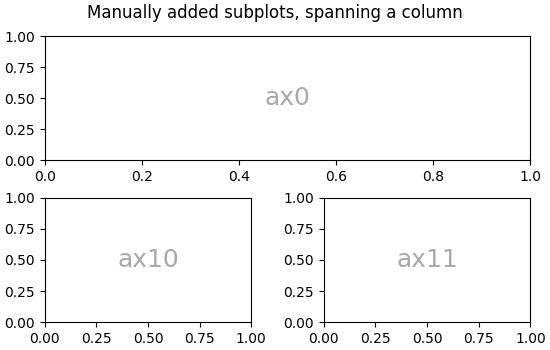
我们可以使用 NumPy slice syntax 来索引 spec 数组,新的 Axes 将跨越该切片.这与 fig, axd = plt.subplot_mosaic([['ax0', 'ax0'], ['ax1', 'ax2']], ...) 相同:
fig = plt.figure(figsize=(5.5, 3.5), layout="constrained")
spec = fig.add_gridspec(2, 2)

ax0 = fig.add_subplot(spec[0, :])
annotate_axes(ax0, 'ax0')

ax10 = fig.add_subplot(spec[1, 0])
annotate_axes(ax10, 'ax10')

ax11 = fig.add_subplot(spec[1, 1])
annotate_axes(ax11, 'ax11')

fig.suptitle('Manually added subplots, spanning a column')
手动调整 GridSpec 布局#
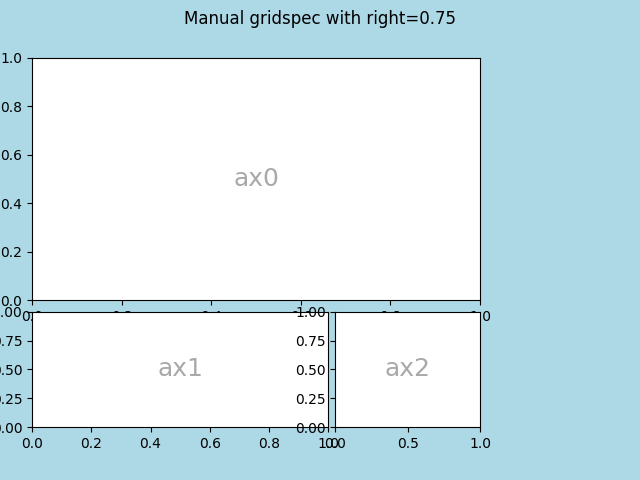
当显式使用 GridSpec 时,您可以调整从 GridSpec 创建的子图的布局参数.请注意,此选项与约束布局或 Figure.tight_layout 不兼容,因为它们都会忽略左右边距,并调整子图大小以填充图形.通常,这种手动放置需要迭代才能使 Axes 的刻度标签不与 Axes 重叠.
这些间距参数也可以作为 gridspec_kw 参数传递给 subplots 和 subplot_mosaic .
fig = plt.figure(layout=None, facecolor='lightblue')
gs = fig.add_gridspec(nrows=3, ncols=3, left=0.05, right=0.75,
                      hspace=0.1, wspace=0.05)
ax0 = fig.add_subplot(gs[:-1, :])
annotate_axes(ax0, 'ax0')
ax1 = fig.add_subplot(gs[-1, :-1])
annotate_axes(ax1, 'ax1')
ax2 = fig.add_subplot(gs[-1, -1])
annotate_axes(ax2, 'ax2')
fig.suptitle('Manual gridspec with right=0.75')
使用 SubplotSpec 的嵌套布局#
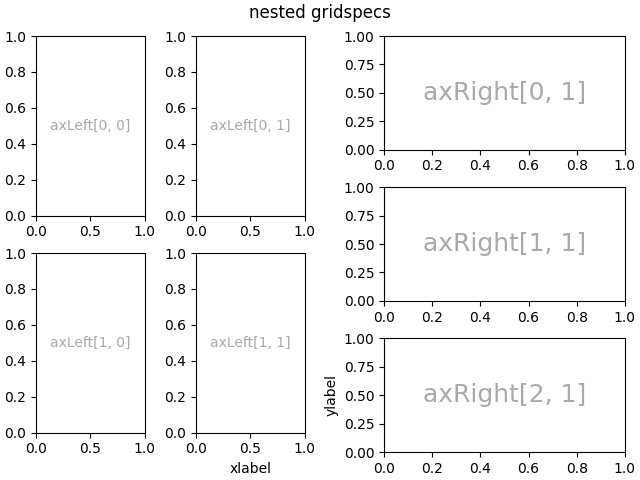
您可以使用 subgridspec 创建类似于 subfigures 的嵌套布局.这里 Axes 的脊柱是对齐的.
请注意,这也可以从更详细的 gridspec.GridSpecFromSubplotSpec 中获得.
fig = plt.figure(layout="constrained")
gs0 = fig.add_gridspec(1, 2)

gs00 = gs0[0].subgridspec(2, 2)
gs01 = gs0[1].subgridspec(3, 1)

for a in range(2):
    for b in range(2):
        ax = fig.add_subplot(gs00[a, b])
        annotate_axes(ax, f'axLeft[{a}, {b}]', fontsize=10)
        if a == 1 and b == 1:
            ax.set_xlabel('xlabel')
for a in range(3):
    ax = fig.add_subplot(gs01[a])
    annotate_axes(ax, f'axRight[{a}, {b}]')
    if a == 2:
        ax.set_ylabel('ylabel')

fig.suptitle('nested gridspecs')
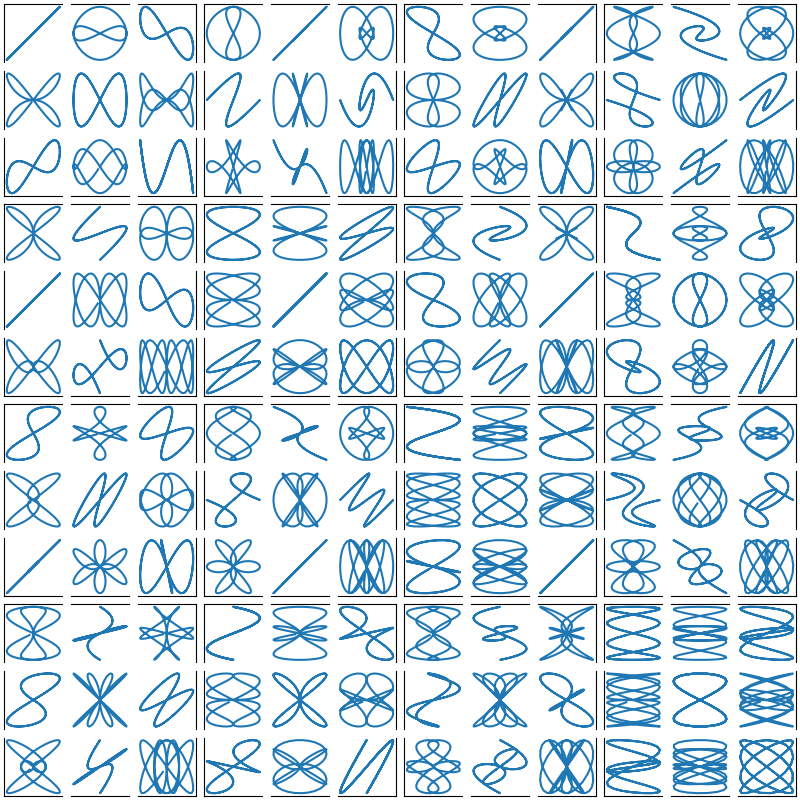
这是一个更复杂的嵌套 GridSpec 示例:我们创建一个外部 4x4 网格,每个单元格包含一个内部 3x3 的 Axes 网格.我们通过隐藏每个内部 3x3 网格中适当的脊柱来勾勒出外部 4x4 网格.
def squiggle_xy(a, b, c, d, i=np.arange(0.0, 2*np.pi, 0.05)):
    return np.sin(i*a)*np.cos(i*b), np.sin(i*c)*np.cos(i*d)

fig = plt.figure(figsize=(8, 8), layout='constrained')
outer_grid = fig.add_gridspec(4, 4, wspace=0, hspace=0)

for a in range(4):
    for b in range(4):
        # gridspec inside gridspec
        inner_grid = outer_grid[a, b].subgridspec(3, 3, wspace=0, hspace=0)
        axs = inner_grid.subplots()  # Create all subplots for the inner grid.
        for (c, d), ax in np.ndenumerate(axs):
            ax.plot(*squiggle_xy(a + 1, b + 1, c + 1, d + 1))
            ax.set(xticks=[], yticks=[])

# show only the outside spines
for ax in fig.get_axes():
    ss = ax.get_subplotspec()
    ax.spines.top.set_visible(ss.is_first_row())
    ax.spines.bottom.set_visible(ss.is_last_row())
    ax.spines.left.set_visible(ss.is_first_col())
    ax.spines.right.set_visible(ss.is_last_col())

plt.show()
更多阅读#
关于 subplot mosaic 的更多详细信息.
关于 constrained layout 的更多详细信息,用于对齐大多数示例中的间距.
参考文献
此示例显示了以下函数,方法,类和模块的用法:
matplotlib.pyplot.subplotsmatplotlib.pyplot.subplot_mosaicmatplotlib.figure.Figure.add_gridspecmatplotlib.figure.Figure.add_subplotmatplotlib.gridspec.GridSpecmatplotlib.gridspec.SubplotSpec.subgridspecmatplotlib.gridspec.GridSpecFromSubplotSpec
脚本的总运行时间:(0 分 15.625 秒)