
Matplotlib 3.6.0 中的新功能 (2022 年 9 月 15 日)#
有关自上次修订以来的所有问题和 pull request 的列表,请参阅 3.10.0 的 GitHub 统计信息 (2024 年 12 月 13 日) .
Figure 和 Axes 的创建/管理#
subplots , subplot_mosaic 接受 height_ratios 和 width_ratios 参数#
可以通过将 height_ratios 和 width_ratios 关键字参数传递给方法来控制 subplots 和 subplot_mosaic 中列和行的相对宽度和高度:
fig = plt.figure()
axs = fig.subplots(3, 1, sharex=True, height_ratios=[3, 1, 1])
(Source code, png)
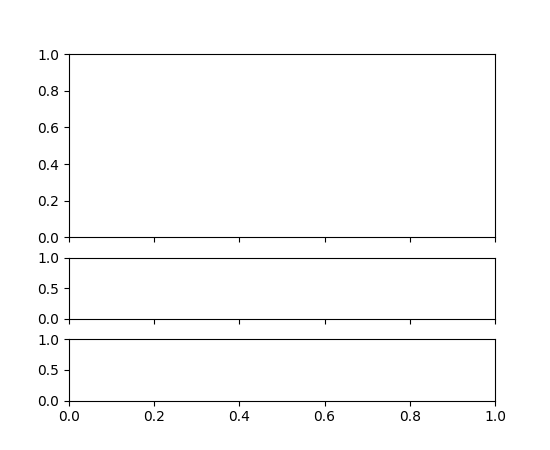

以前,这需要通过 gridspec_kw 参数传递比率:
fig = plt.figure()
axs = fig.subplots(3, 1, sharex=True,
                   gridspec_kw=dict(height_ratios=[3, 1, 1]))
约束布局不再被认为是实验性的#
约束布局引擎和 API 不再被认为是实验性的.未经弃用期,不再允许任意更改行为和 API.
新的 layout_engine 模块#
Matplotlib 附带 tight_layout 和 constrained_layout 布局引擎.提供了一个新的 layout_engine 模块,允许下游库编写自己的布局引擎,并且 Figure 对象现在可以将 LayoutEngine 子类作为 layout 参数的参数.
固定纵横比坐标轴的压缩布局#
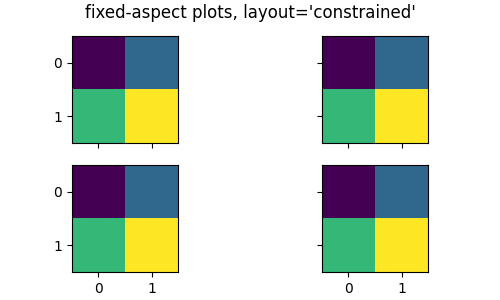
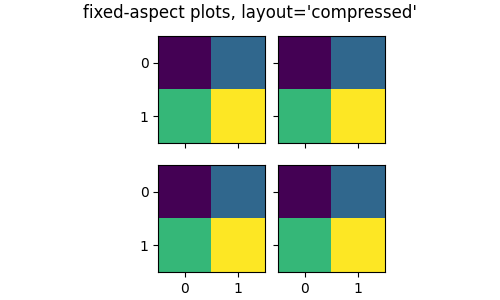
现在可以使用 fig, axs = plt.subplots(2, 3, layout='compressed') 将具有固定纵横比的坐标轴的简单排列组合在一起.
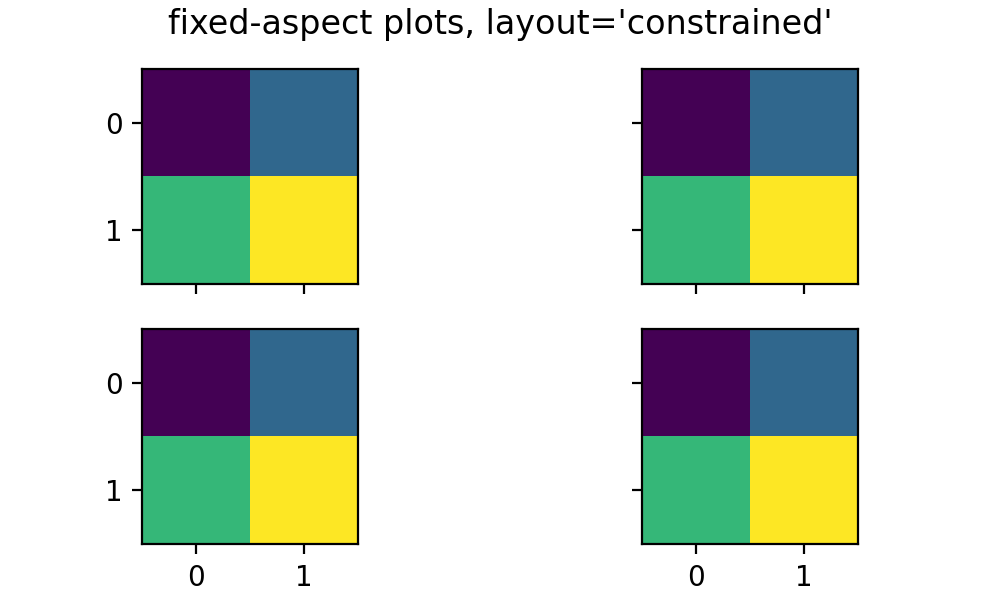
使用 layout='tight' 或 'constrained' ,具有固定纵横比的坐标轴可能会在彼此之间留下很大的间隙:
(Source code, png)
使用 layout='compressed' 的布局减少了坐标轴之间的空间,并将额外的空间添加到外边距:
(Source code, png)
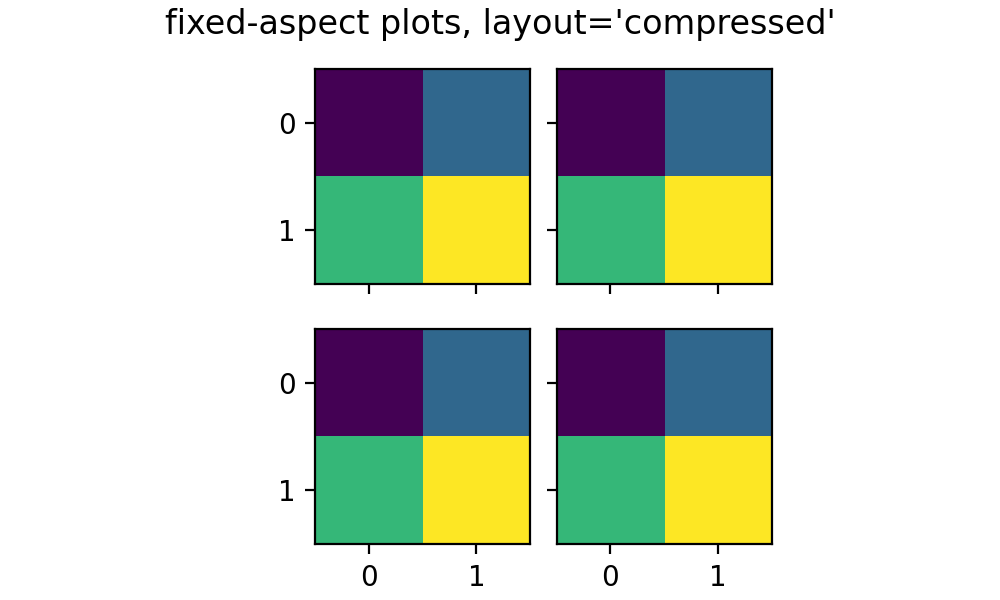
有关更多详细信息,请参见 固定宽高比 Axes 的网格:"compressed" 布局 .
现在可以删除布局引擎#
现在可以通过使用 'none' 调用 Figure.set_layout_engine 来删除 Figure 上的布局引擎.在计算布局后,这可能有助于减少计算量,例如,用于后续动画循环.
之后可以设置不同的布局引擎,只要它与先前的布局引擎兼容即可.
Axes.inset_axes 的灵活性#
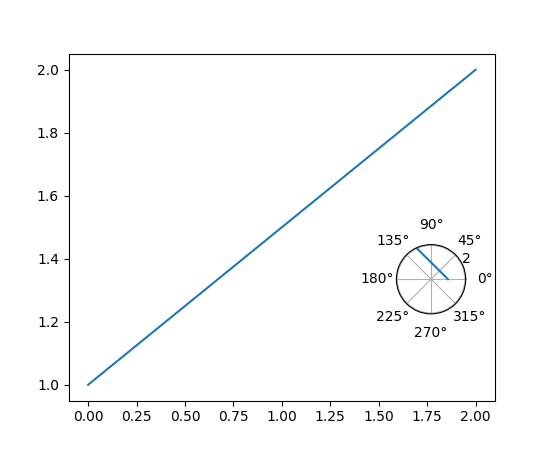
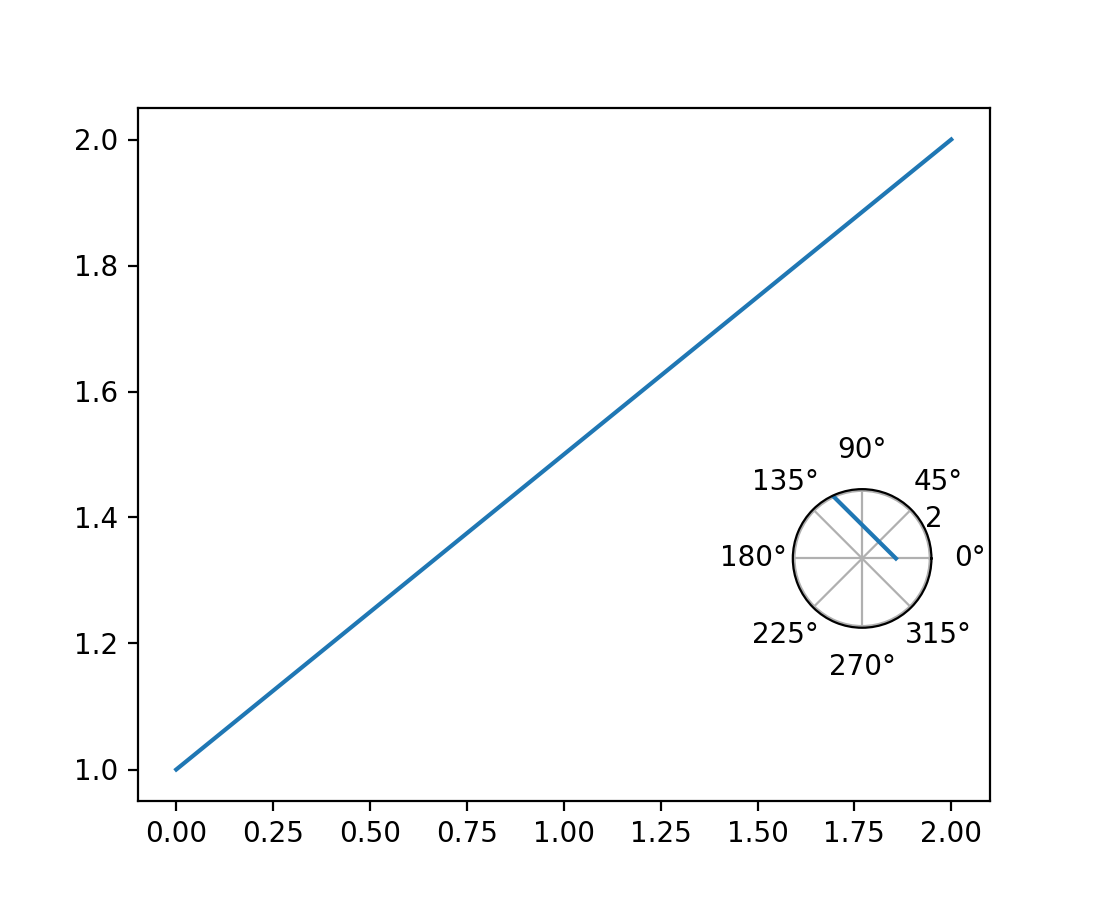
matplotlib.axes.Axes.inset_axes 现在接受 projection,polar 和 axes_class 关键字参数,以便可以返回 matplotlib.axes.Axes 的子类.
fig, ax = plt.subplots()

ax.plot([0, 2], [1, 2])

polar_ax = ax.inset_axes([0.75, 0.25, 0.2, 0.2], projection='polar')
polar_ax.plot([0, 2], [1, 2])
(Source code, png)
WebP 现在是一个支持的输出格式#
现在可以使用 .webp 文件扩展名,或者将 format='webp' 传递给 savefig 来将图形保存为 WebP 格式.这依赖于 Pillow 对 WebP 的支持.
垃圾回收不再在图形关闭时运行#
Matplotlib 有大量的循环引用(在 Figure 和 Manager 之间,在 Axes 和 Figure 之间,Axes 和 Artist 之间,Figure 和 Canvas 之间等等),所以当用户丢弃他们对 Figure 的最后一个引用(并从 pyplot 的状态中清除它)时,对象不会立即被删除.
为了解决这个问题,我们长期以来(早在 2004 年之前)在关闭代码中使用了 gc.collect (仅针对最低的两代),以便及时清理我们自己产生的垃圾.然而,这既没有做我们想做的事情(因为我们的大多数对象实际上会存活下来),而且由于清除了第一代,我们面临着无限内存使用的问题.
在创建图形和销毁图形之间的循环非常紧密的情况下(例如 plt.figure(); plt.close() ),第一代永远不会增长到足够大,以至于 Python 会考虑对更高代运行垃圾回收.这将导致无限的内存使用,因为长期存在的对象从未被重新考虑以寻找引用循环,因此永远不会被删除.
我们现在在关闭图形时不再进行任何垃圾回收,而是依赖 Python 自动决定定期运行垃圾回收.如果您有严格的内存要求,您可以自己调用 gc.collect ,但这可能会在紧密的计算循环中产生性能影响.
绘图方法#
条纹线(实验性)#
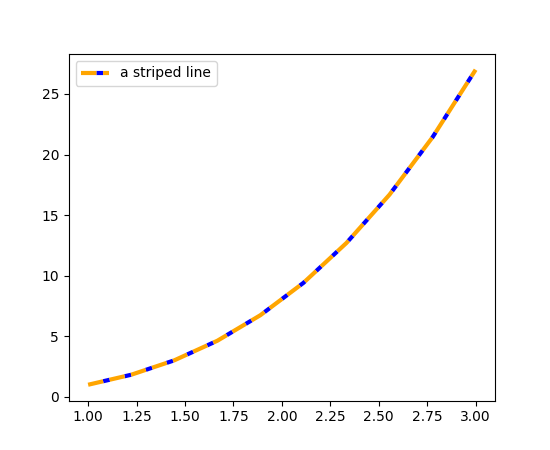
plot 的新的 gapcolor 参数可以创建条纹线.
x = np.linspace(1., 3., 10)
y = x**3

fig, ax = plt.subplots()
ax.plot(x, y, linestyle='--', color='orange', gapcolor='blue',
        linewidth=3, label='a striped line')
ax.legend()
(Source code, png)

bxp 和 boxplot 中的箱型和须状图中自定义的帽宽#
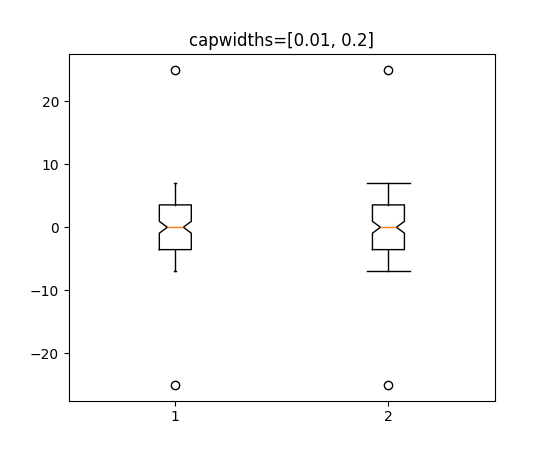
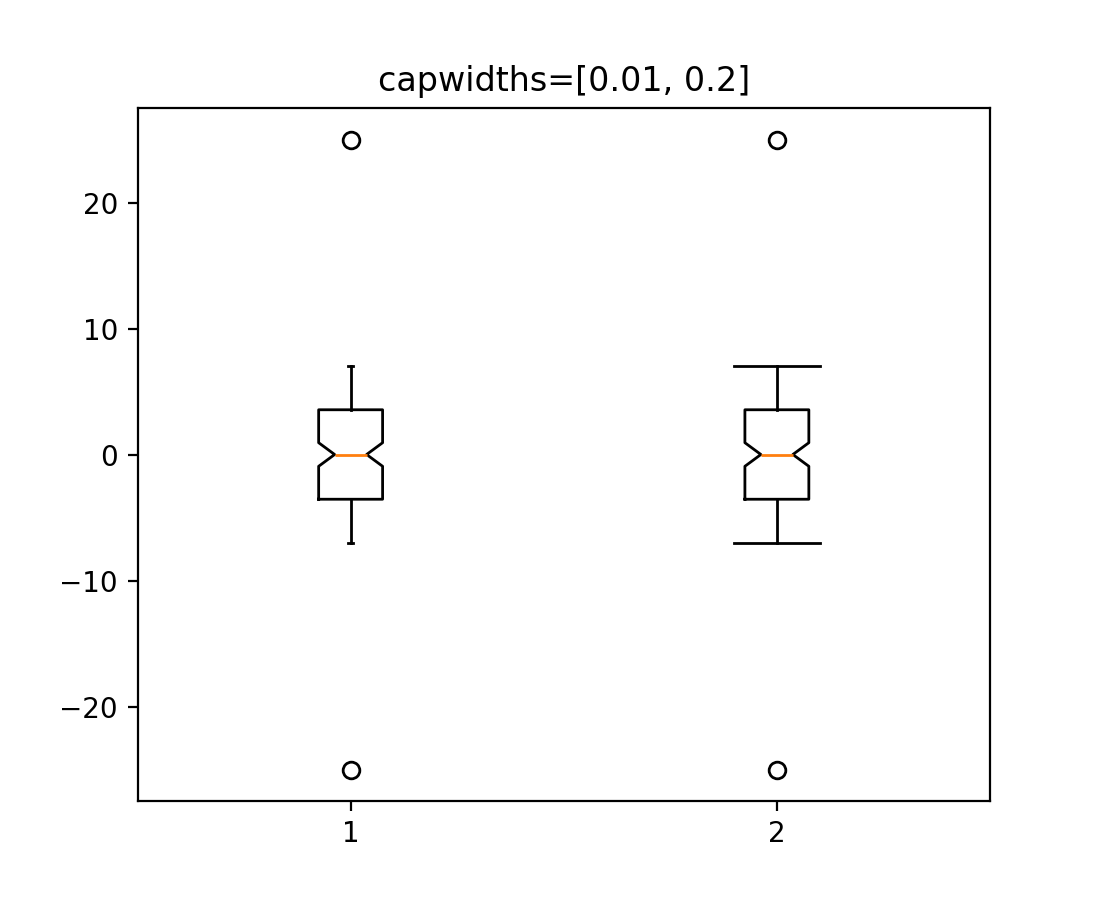
bxp 和 boxplot 的新 capwidths 参数允许控制箱型和须状图中帽的宽度.
x = np.linspace(-7, 7, 140)
x = np.hstack([-25, x, 25])
capwidths = [0.01, 0.2]

fig, ax = plt.subplots()
ax.boxplot([x, x], notch=True, capwidths=capwidths)
ax.set_title(f'{capwidths=}')
(Source code, png)
更容易标记条形图中的条形#
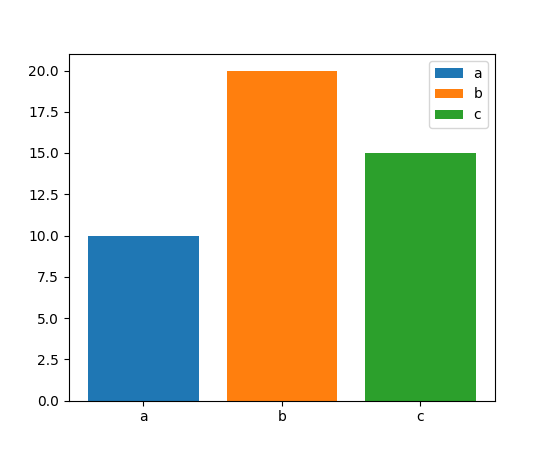
bar 和 barh 的 label 参数现在可以传递条形的标签列表.该列表的长度必须与 x 相同,并标记各个条形.重复的标签不会被删除重复项,并将导致重复的标签条目,所以最好在条形样式也不同时使用(例如,通过将列表传递给 color,如下所示.)
x = ["a", "b", "c"]
y = [10, 20, 15]
color = ['C0', 'C1', 'C2']

fig, ax = plt.subplots()
ax.bar(x, y, color=color, label=x)
ax.legend()
(Source code, png)

用于颜色条刻度的新样式格式字符串#
colorbar (和其他颜色条方法) 的 format 参数现在接受 {} -style 格式字符串.
fig, ax = plt.subplots()
im = ax.imshow(z)
fig.colorbar(im, format='{x:.2e}')  # Instead of '%.2e'
负等高线的线条样式可以单独设置#
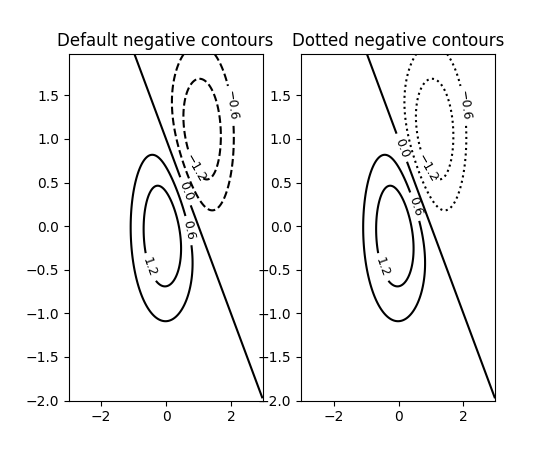
可以通过将 negative_linestyles 参数传递给 Axes.contour 来设置负等高线的线条样式.以前,此样式只能通过 rcParams["contour.negative_linestyle"] (default: 'dashed') 全局设置.
delta = 0.025
x = np.arange(-3.0, 3.0, delta)
y = np.arange(-2.0, 2.0, delta)
X, Y = np.meshgrid(x, y)
Z1 = np.exp(-X**2 - Y**2)
Z2 = np.exp(-(X - 1)**2 - (Y - 1)**2)
Z = (Z1 - Z2) * 2

fig, axs = plt.subplots(1, 2)

CS = axs[0].contour(X, Y, Z, 6, colors='k')
axs[0].clabel(CS, fontsize=9, inline=True)
axs[0].set_title('Default negative contours')

CS = axs[1].contour(X, Y, Z, 6, colors='k', negative_linestyles='dotted')
axs[1].clabel(CS, fontsize=9, inline=True)
axs[1].set_title('Dotted negative contours')
(Source code, png)

通过 ContourPy 改进四边形轮廓计算#
轮廓绘制函数 contour 和 contourf 有一个新的关键字参数 algorithm 来控制用于计算轮廓的算法. 有四种算法可供选择,默认使用 algorithm='mpl2014' ,这与 Matplotlib 自 2014 年以来一直使用的算法相同.
以前,Matplotlib 自带 C++ 代码来计算四边形网格的轮廓. 现在,改用外部库 ContourPy .
此时,algorithm 关键字参数的其他可能值为 'mpl2005' , 'serial' 和 'threaded' ; 详情请参阅 ContourPy documentation .
备注
algorithm='mpl2014' 生成的轮廓线和多边形与此更改之前的轮廓线和多边形相同,仅在浮点容差范围内存在差异. 唯一的例外是重复点,即包含相邻(x, y)点相同的轮廓; 以前重复点会被删除,现在则会保留. 受此影响的轮廓将产生相同的视觉输出,但轮廓中的点数会更多.
使用 clabel 获得的轮廓标签的位置也可能不同.
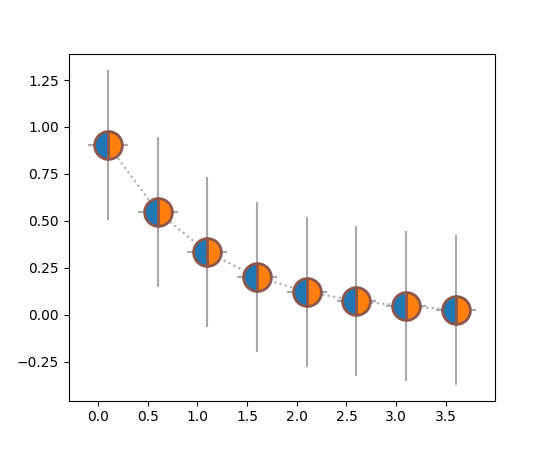
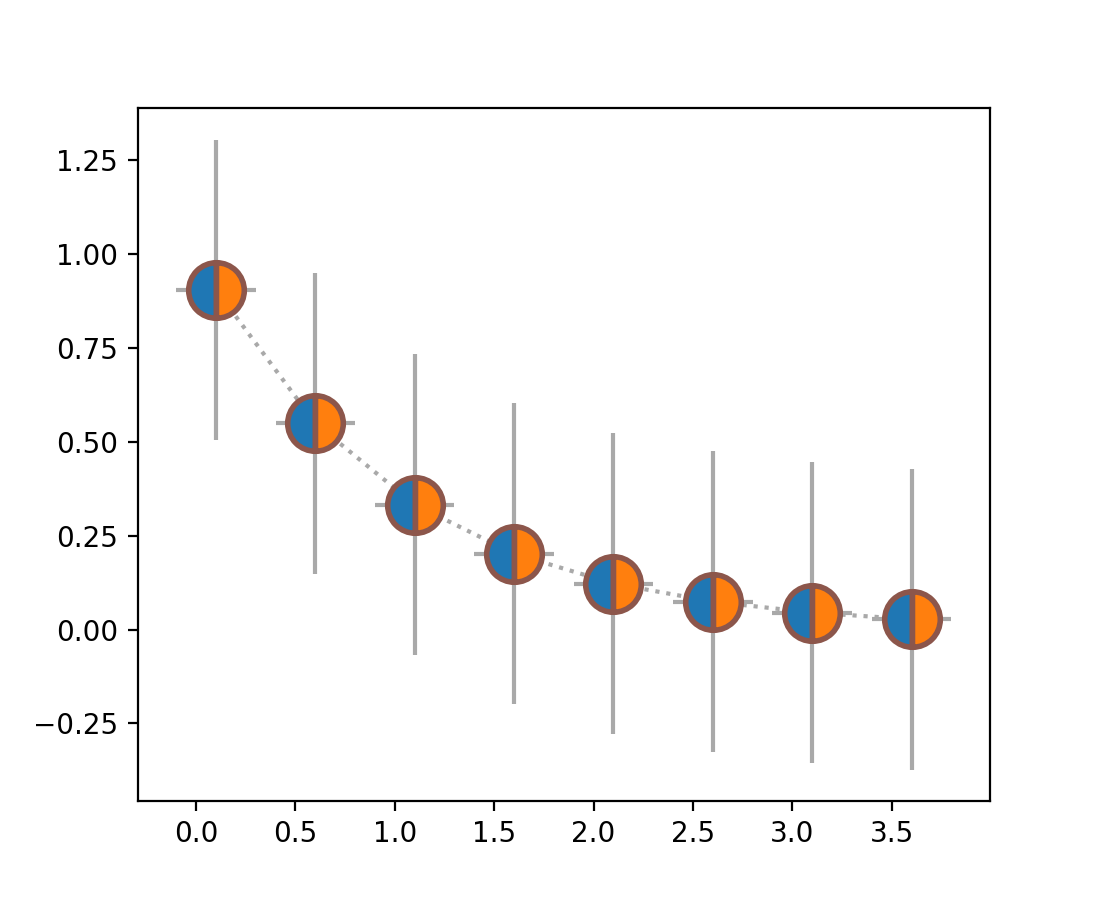
errorbar 支持 markerfacecoloralt#
markerfacecoloralt 参数现在从 Axes.errorbar 传递到线条绘制器. 该文档现在准确地列出了传递给 Line2D 的属性,而不是声称所有关键字参数都被传递.
x = np.arange(0.1, 4, 0.5)
y = np.exp(-x)

fig, ax = plt.subplots()
ax.errorbar(x, y, xerr=0.2, yerr=0.4,
            linestyle=':', color='darkgrey',
            marker='o', markersize=20, fillstyle='left',
            markerfacecolor='tab:blue', markerfacecoloralt='tab:orange',
            markeredgecolor='tab:brown', markeredgewidth=2)
(Source code, png)
streamplot 可以禁用流线中断#
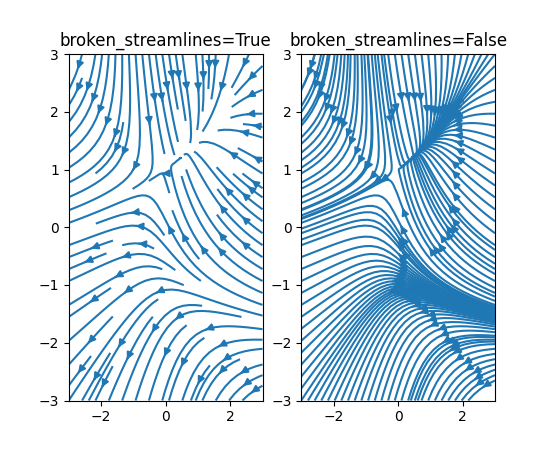
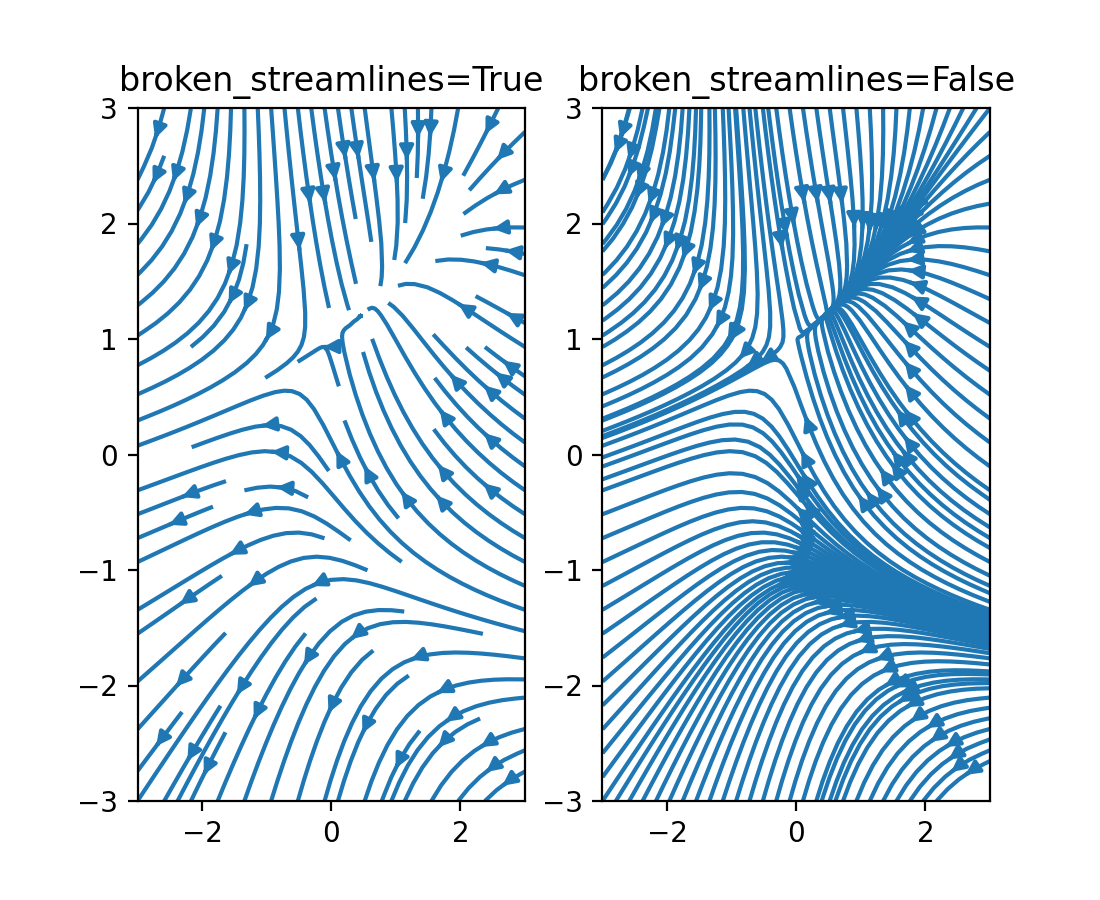
现在可以指定流线图具有连续,不间断的流线. 以前,流线会结束以限制单个网格单元内的线数. 请参见下面的图之间的差异:
(Source code, png)
新的轴刻度 asinh (实验性)#
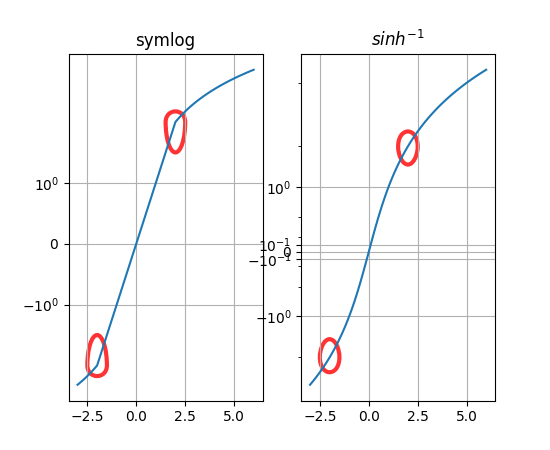
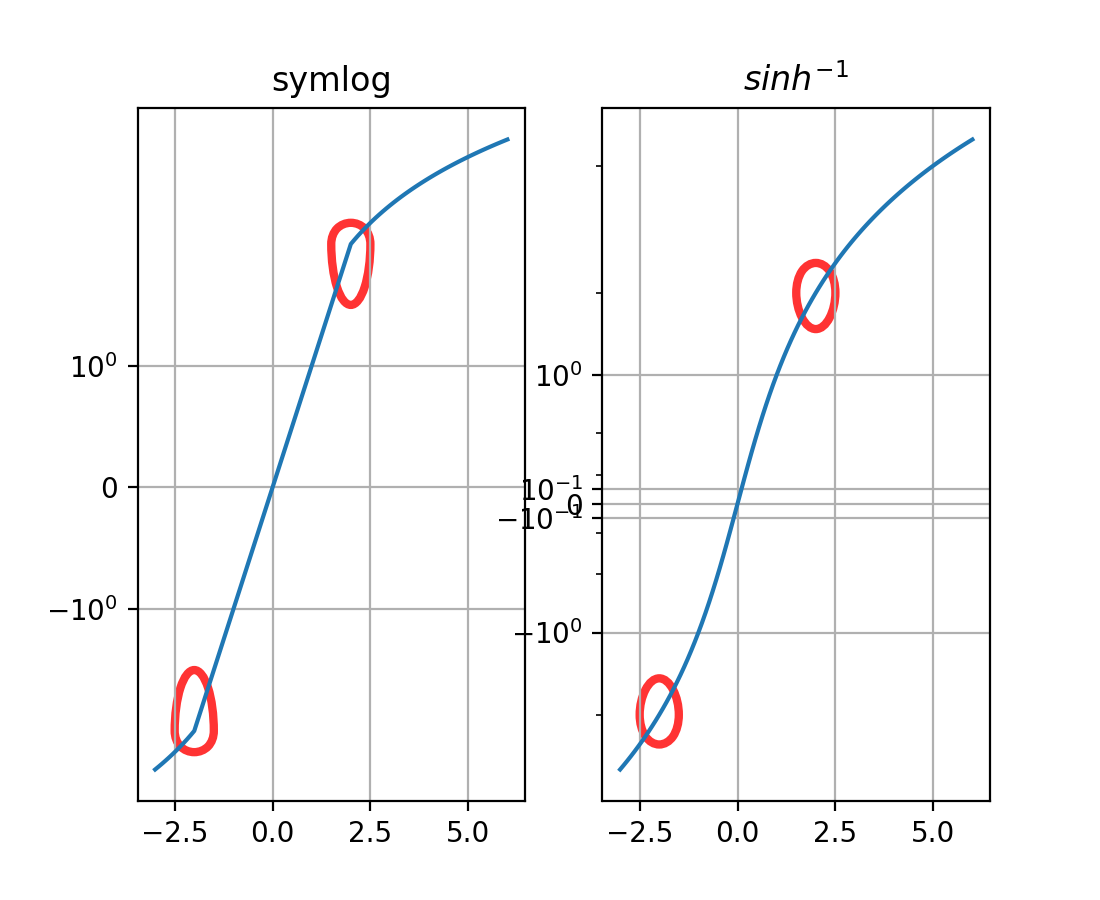
新的 asinh 轴刻度提供了一种 symlog 的替代方案,可以在刻度的准线性和渐近对数区域之间平滑过渡. 这是基于 arcsinh 变换,允许绘制跨越多个数量级的正值和负值.
(Source code, png)
stairs(..., fill=True) 通过设置线宽来隐藏补丁边缘#
stairs(..., fill=True) 以前会通过设置 edgecolor="none" 来隐藏 Patch 边缘. 因此,稍后在 Patch 上调用 set_color() 会使 Patch 看起来更大.
现在,通过使用 linewidth=0 ,可以防止这种明显的尺寸变化. 同样,调用 stairs(..., fill=True, linewidth=3) 将会更透明地运行.
修复 Patch 类的虚线偏移#
以前,当使用虚线元组在 Patch 对象上设置线条样式时,偏移量会被忽略. 现在,偏移量已按预期应用于 Patch,并且可以像使用 Line2D 对象一样使用它.
矩形补丁旋转点#
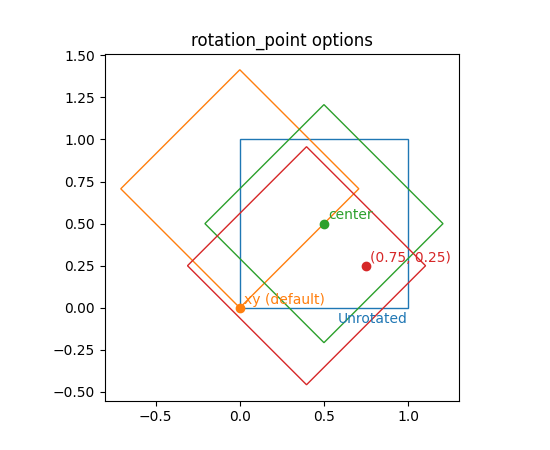
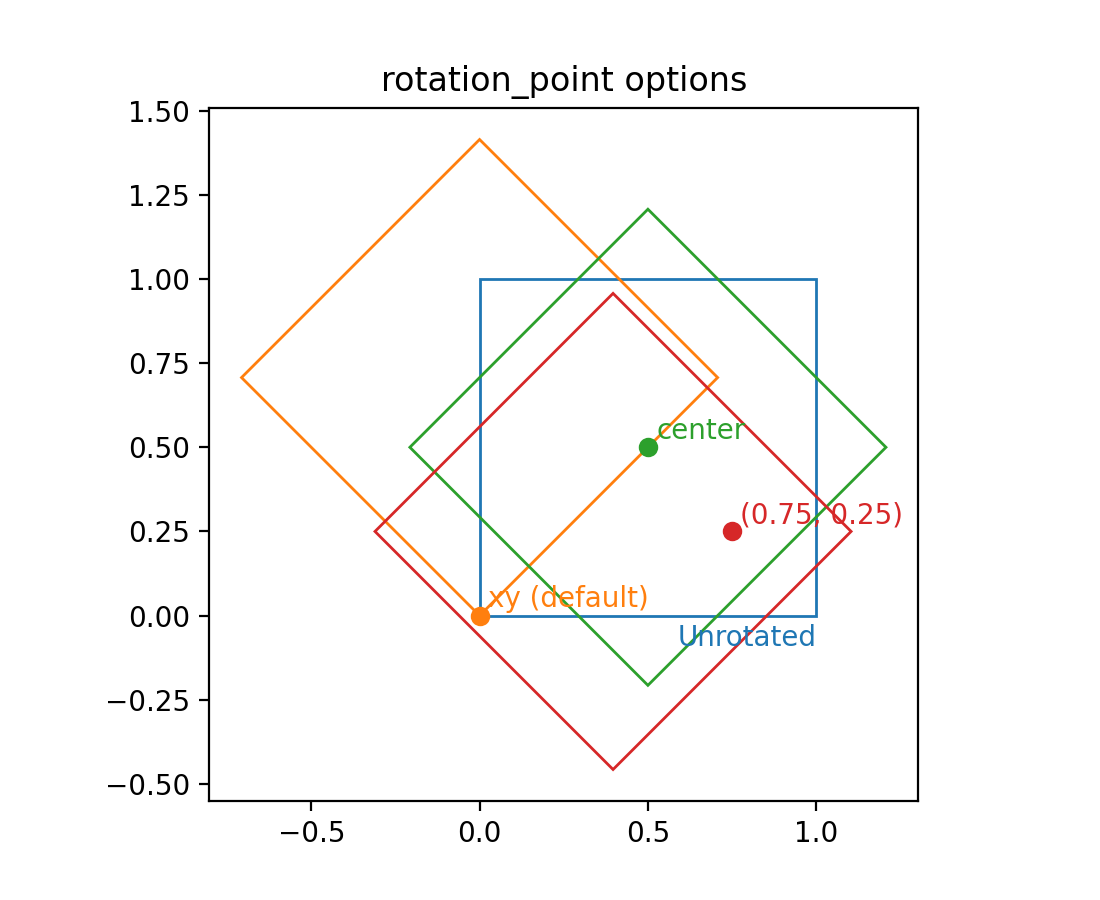
Rectangle 的旋转点现在可以使用 rotation_point 参数设置为 'xy','center' 或数字的 2 元组.
(Source code, png)
颜色和颜色映射#
颜色序列注册表#
颜色序列注册表, ColorSequenceRegistry ,包含 Matplotlib 已知名称的颜色序列(即,简单的列表).通常不会直接使用它,而是通过 matplotlib.color_sequences 的通用实例来使用.
用于创建不同查找表大小的 Colormap 方法#
新的方法 Colormap.resampled 创建一个新的 Colormap 实例,并具有指定的查找表大小.这是通过 get_cmap 操作查找表大小的替代方法.
使用:
get_cmap(name).resampled(N)
代替:
get_cmap(name, lut=N)
使用字符串设置 Norms#
现在可以使用相应比例的字符串名称来设置 Norms(例如,在图像上),例如 imshow(array, norm="log") .请注意,在这种情况下,也可以传递 vmin 和 vmax,因为将在后台创建一个新的 Norm 实例.
标题,刻度和标签#
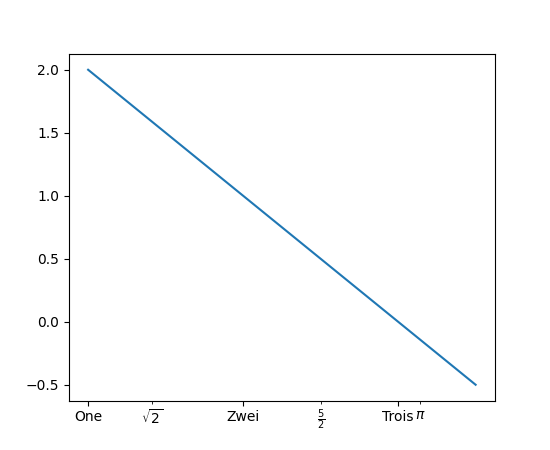
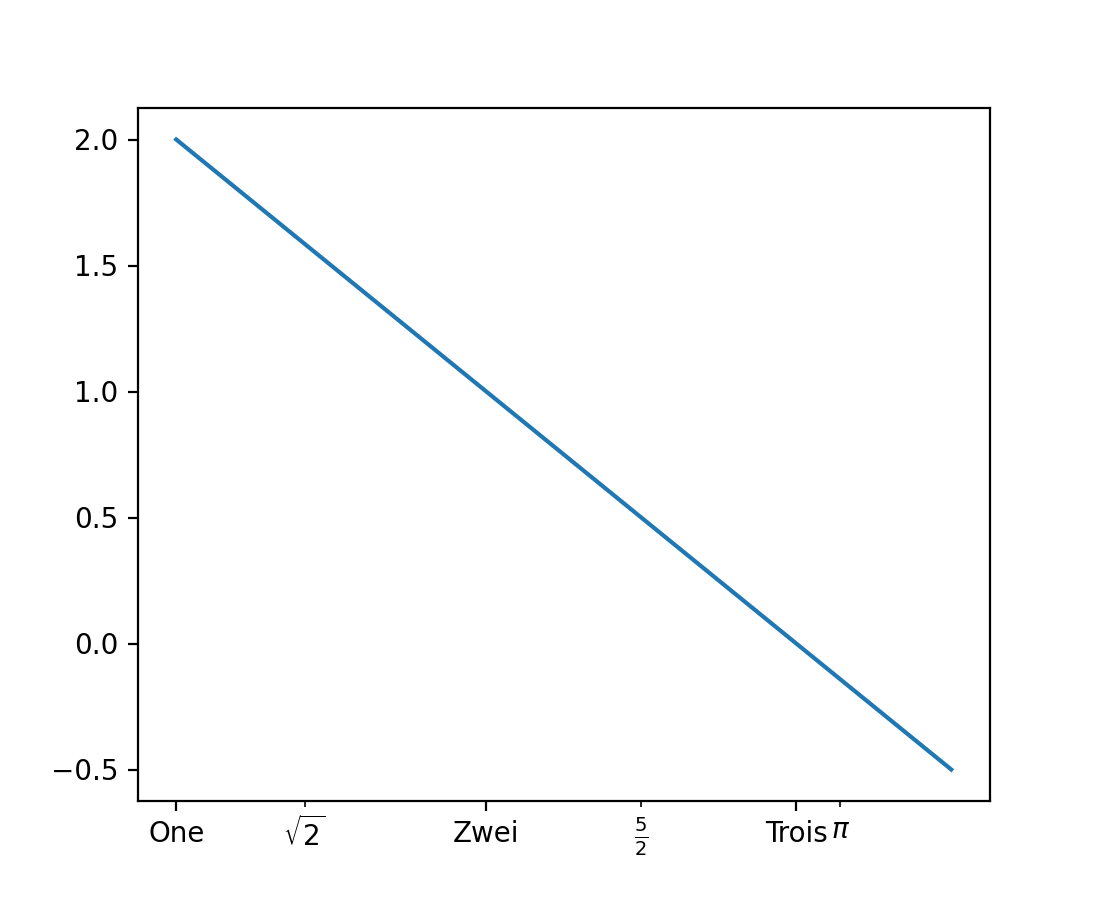
plt.xticks 和 plt.yticks 支持 minor 关键字参数#
现在可以通过设置 minor=True ,使用 pyplot.xticks 和 pyplot.yticks 来设置或获取副刻度.
plt.figure()
plt.plot([1, 2, 3, 3.5], [2, 1, 0, -0.5])
plt.xticks([1, 2, 3], ["One", "Zwei", "Trois"])
plt.xticks([np.sqrt(2), 2.5, np.pi],
           [r"$\sqrt{2}$", r"$\frac{5}{2}$", r"$\pi$"], minor=True)
(Source code, png)
图例#
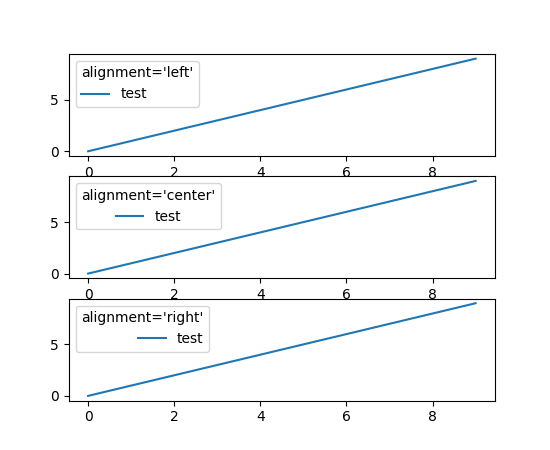
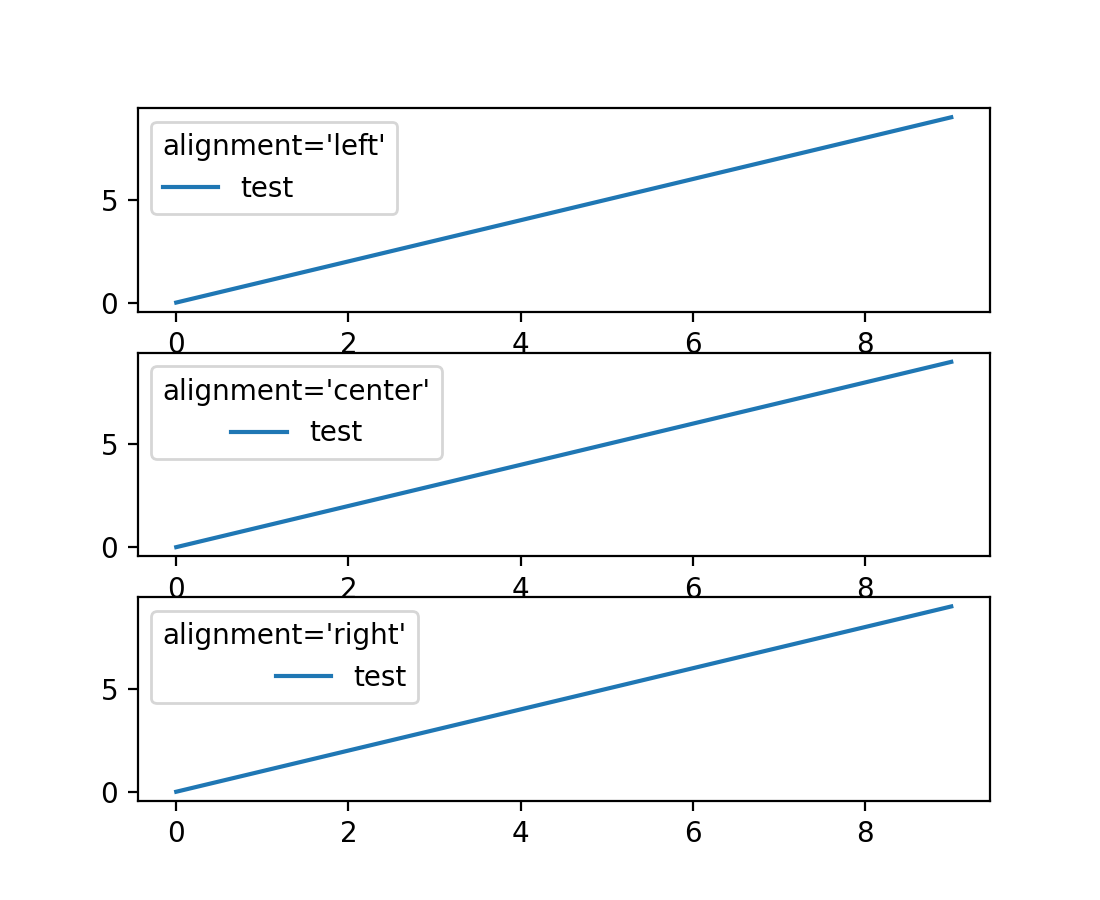
图例可以控制标题和句柄的对齐方式#
Legend 现在支持通过关键字参数 alignment 控制标题和句柄的对齐方式.您还可以使用 Legend.set_alignment 来控制现有图例的对齐方式.
fig, axs = plt.subplots(3, 1)
for i, alignment in enumerate(['left', 'center', 'right']):
    axs[i].plot(range(10), label='test')
    axs[i].legend(title=f'{alignment=}', alignment=alignment)
(Source code, png)
legend 的 ncol 关键字参数已重命名为 ncols#
用于控制列数的 legend 的 ncol 关键字参数已重命名为 ncols ,以便与 subplots 和 GridSpec 的 ncols 和 nrows 关键字保持一致.为了向后兼容,仍然支持 ncol,但不建议使用.
标记#
marker 现在可以设置为字符串"none"#
字符串"none"表示无标记,与其他支持小写版本的 API 一致.建议使用"none"而不是"None",以避免与 None 对象混淆.
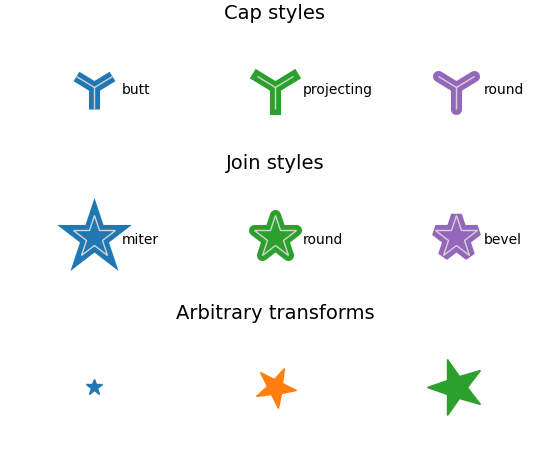
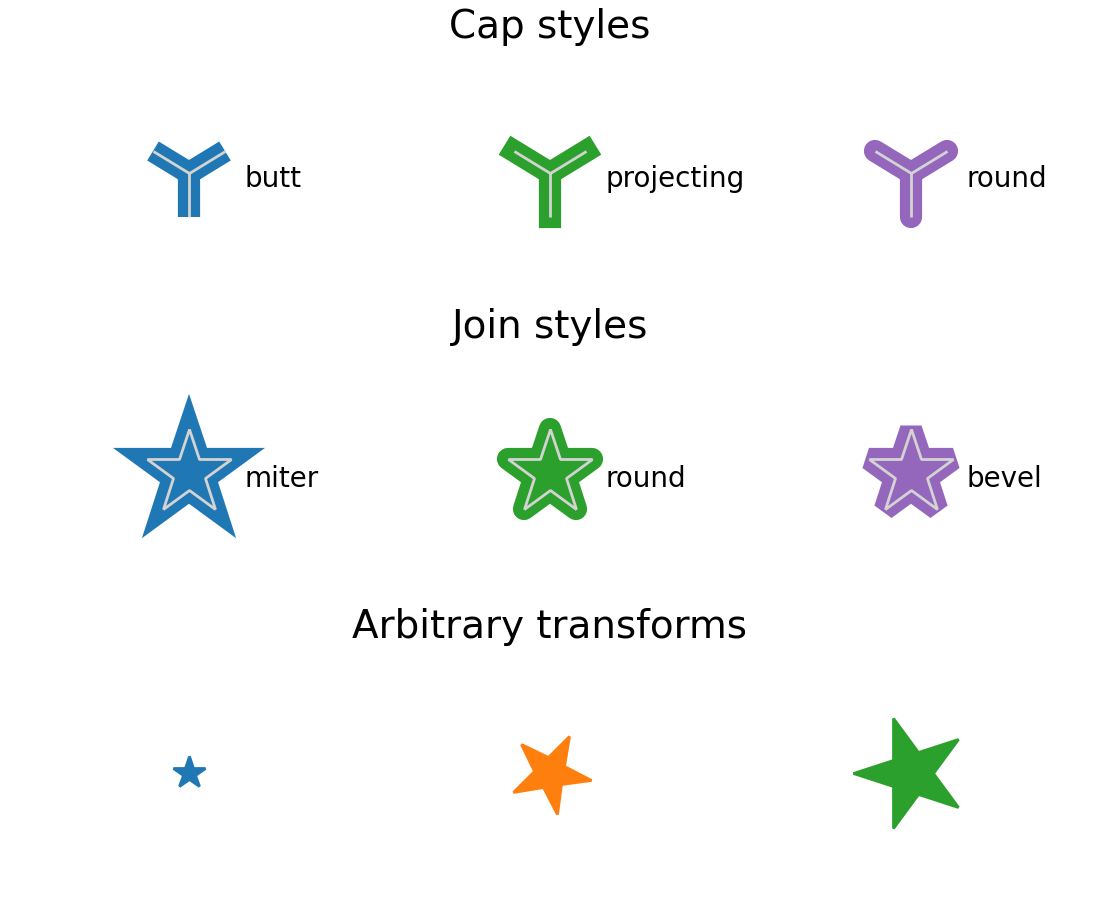
Customization of MarkerStyle join and cap style#
新的 MarkerStyle 参数允许控制连接样式和封口样式,并允许用户提供要应用于标记的转换(例如,旋转).
from matplotlib.markers import CapStyle, JoinStyle, MarkerStyle
from matplotlib.transforms import Affine2D

fig, axs = plt.subplots(3, 1, layout='constrained')
for ax in axs:
    ax.axis('off')
    ax.set_xlim(-0.5, 2.5)

axs[0].set_title('Cap styles', fontsize=14)
for col, cap in enumerate(CapStyle):
    axs[0].plot(col, 0, markersize=32, markeredgewidth=8,
                marker=MarkerStyle('1', capstyle=cap))
    # Show the marker edge for comparison with the cap.
    axs[0].plot(col, 0, markersize=32, markeredgewidth=1,
                markerfacecolor='none', markeredgecolor='lightgrey',
                marker=MarkerStyle('1'))
    axs[0].annotate(cap.name, (col, 0),
                    xytext=(20, -5), textcoords='offset points')

axs[1].set_title('Join styles', fontsize=14)
for col, join in enumerate(JoinStyle):
    axs[1].plot(col, 0, markersize=32, markeredgewidth=8,
                marker=MarkerStyle('*', joinstyle=join))
    # Show the marker edge for comparison with the join.
    axs[1].plot(col, 0, markersize=32, markeredgewidth=1,
                markerfacecolor='none', markeredgecolor='lightgrey',
                marker=MarkerStyle('*'))
    axs[1].annotate(join.name, (col, 0),
                    xytext=(20, -5), textcoords='offset points')

axs[2].set_title('Arbitrary transforms', fontsize=14)
for col, (size, rot) in enumerate(zip([2, 5, 7], [0, 45, 90])):
    t = Affine2D().rotate_deg(rot).scale(size)
    axs[2].plot(col, 0, marker=MarkerStyle('*', transform=t))
(Source code, png)
字体和文本#
字体回退#
现在可以指定字体系列列表,Matplotlib 将按顺序尝试它们以找到所需的字形.
plt.rcParams["font.size"] = 20
fig = plt.figure(figsize=(4.75, 1.85))

text = "There are 几个汉字 in between!"
fig.text(0.05, 0.65, text, family=["Noto Sans CJK JP", "Noto Sans TC"])
fig.text(0.05, 0.45, text, family=["DejaVu Sans", "Noto Sans CJK JP", "Noto Sans TC"])
(Source code, png)
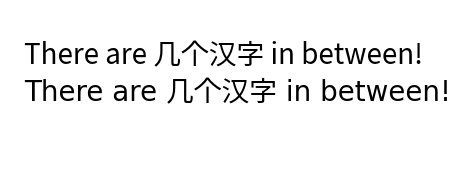
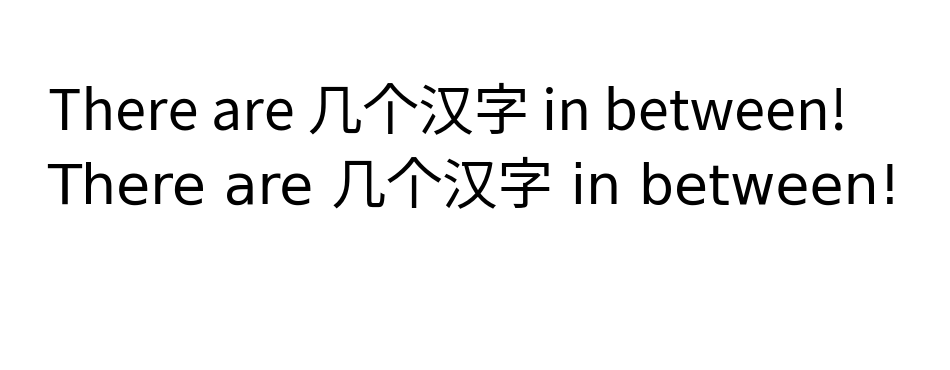
Demonstration of mixed English and Chinese text with font fallback.
目前这适用于 Agg(以及所有的 GUI 嵌入),svg,pdf,ps 和内联后端.
可用字体名称列表#
现在可以轻松访问可用字体列表.要获取 Matplotlib 中可用字体名称的列表,请使用:
from matplotlib import font_manager
font_manager.get_font_names()
math_to_image 现在有一个 color 关键字参数#
为了轻松支持依赖 Matplotlib 的 MathText 渲染生成公式图像的外部库,向 math_to_image 添加了一个 color 关键字参数.
from matplotlib import mathtext
mathtext.math_to_image('$x^2$', 'filename.png', color='Maroon')
活动 URL 区域随链接文本旋转#
当链接文本在图中旋转时,活动 URL 区域现在将包括旋转的链接区域.以前,活动区域保持在原始的,非旋转的位置.
rcParams 改进#
允许全局设置图形标签的大小和粗细,并与标题分开#
对于图形标签, Figure.supxlabel 和 Figure.supylabel ,可以使用 rcParams["figure.labelsize"] (default: 'large') 和 rcParams["figure.labelweight"] (default: 'normal') 与图形标题分开设置大小和粗细.
# Original (previously combined with below) rcParams:
plt.rcParams['figure.titlesize'] = 64
plt.rcParams['figure.titleweight'] = 'bold'

# New rcParams:
plt.rcParams['figure.labelsize'] = 32
plt.rcParams['figure.labelweight'] = 'bold'

fig, axs = plt.subplots(2, 2, layout='constrained')
for ax in axs.flat:
    ax.set(xlabel='xlabel', ylabel='ylabel')

fig.suptitle('suptitle')
fig.supxlabel('supxlabel')
fig.supylabel('supylabel')
(Source code, png)
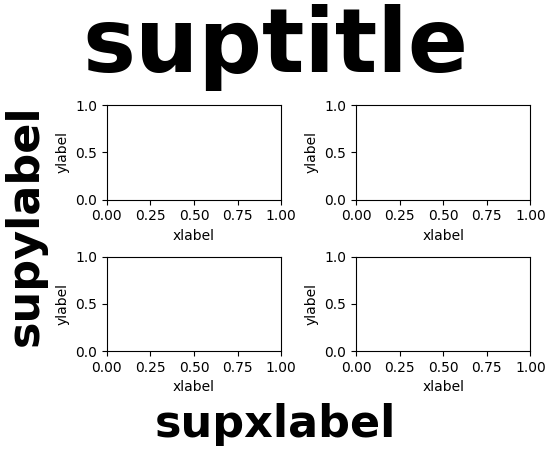
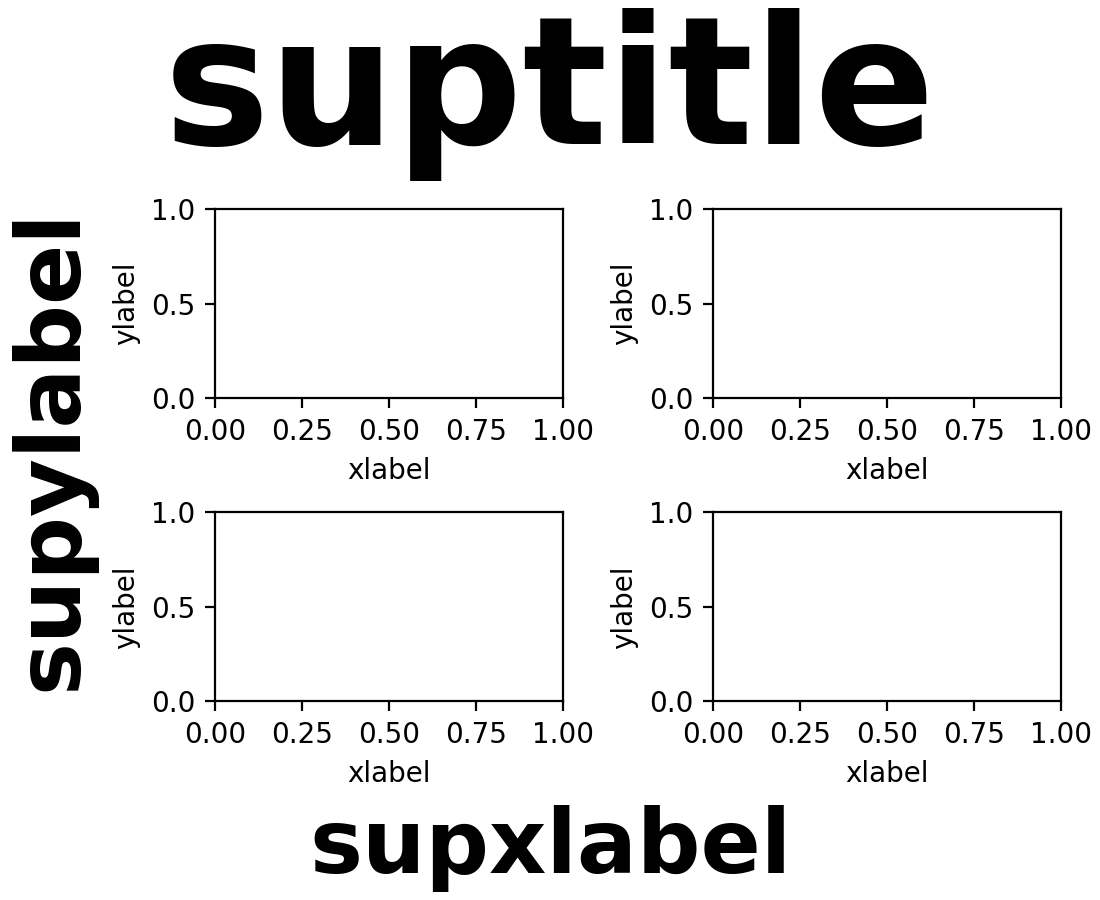
请注意,如果您已更改 rcParams["figure.titlesize"] (default: 'large') 或 rcParams["figure.titleweight"] (default: 'normal') ,您现在还必须更改引入的参数,以获得与过去行为一致的结果.
可以全局禁用 Mathtext 解析#
rcParams["text.parse_math"] (default: True) 设置可用于禁用所有 Text 对象(最显著的是来自 Axes.text 方法的对象)中对 mathtext 的解析.
matplotlibrc 中的双引号字符串#
现在可以在字符串周围使用双引号.这允许在字符串中使用"#"字符.如果没有引号,"#"被解释为注释的开头.特别是,您现在可以定义十六进制颜色:
grid.color: "#b0b0b0"
3D 轴改进#
主平面视角标准化视图#
当在主视角平面 (即垂直于 XY,XZ 或 YZ 平面) 之一中查看 3D 图形时,坐标轴将显示在标准位置.有关 3D 视角的更多信息,请参阅 toolkit_mplot3d-view-angles 和 主 3D 视图平面 .
3D 相机的自定义焦距#
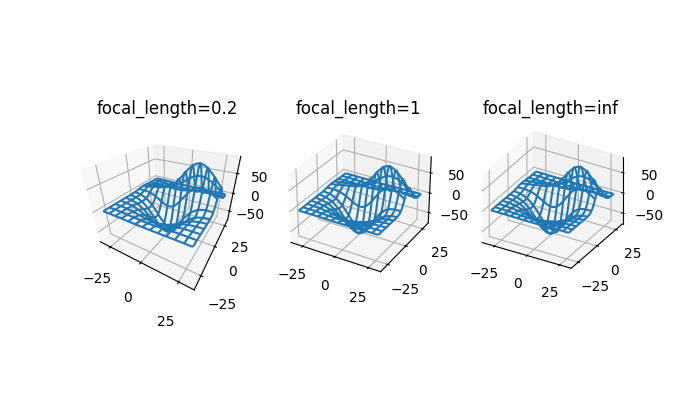
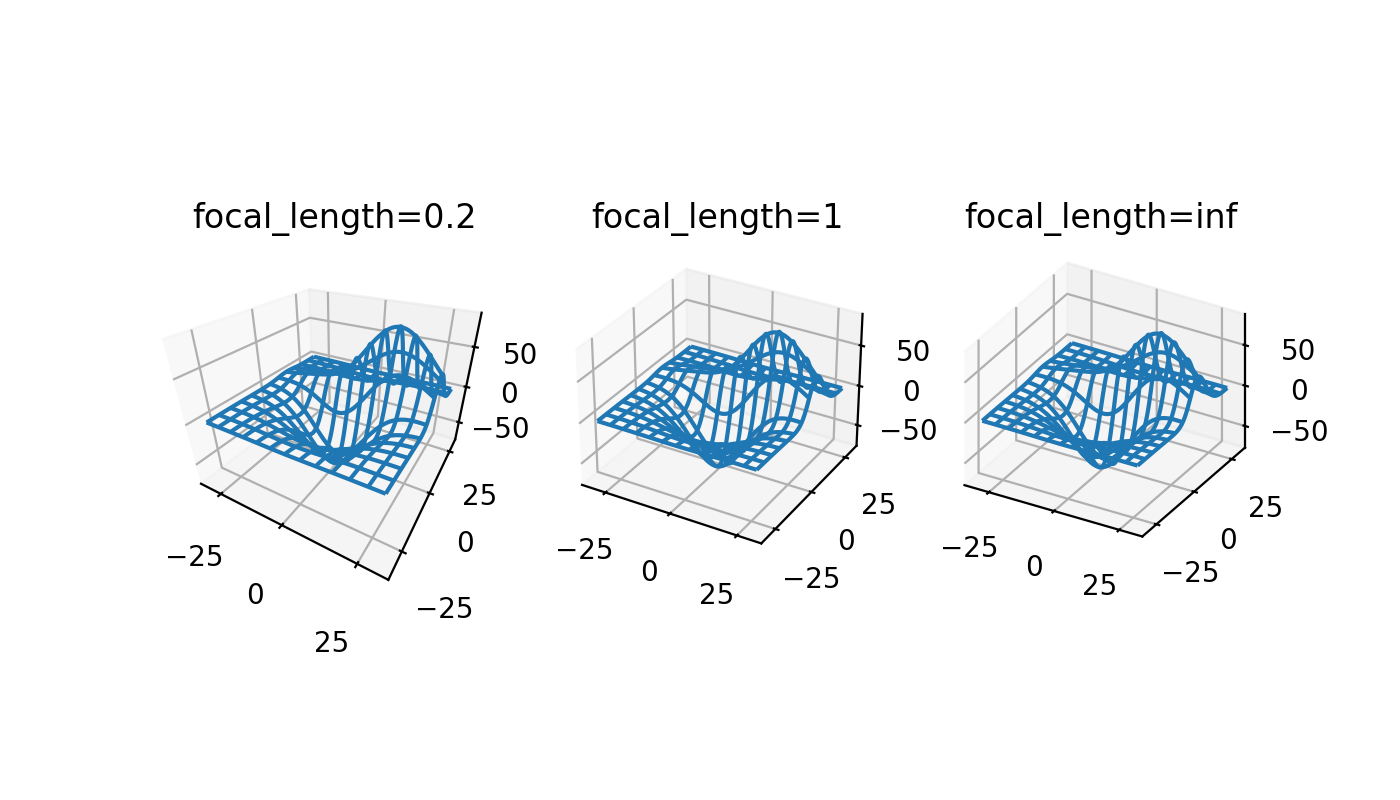
通过指定虚拟相机的焦距,3D 轴现在可以更好地模拟真实世界的相机. 默认为 1 的焦距对应于 90° 的视野 (FOV),并且向后兼容现有的 3D 图形.介于 1 和无穷大之间的焦距增加会"展平"图像,而介于 1 和 0 之间的焦距减小会夸大透视并使图像具有更明显的深度.
焦距可以通过以下公式从所需的 FOV 计算得出:

from mpl_toolkits.mplot3d import axes3d

X, Y, Z = axes3d.get_test_data(0.05)

fig, axs = plt.subplots(1, 3, figsize=(7, 4),
                        subplot_kw={'projection': '3d'})

for ax, focal_length in zip(axs, [0.2, 1, np.inf]):
    ax.plot_wireframe(X, Y, Z, rstride=10, cstride=10)
    ax.set_proj_type('persp', focal_length=focal_length)
    ax.set_title(f"{focal_length=}")
(Source code, png)
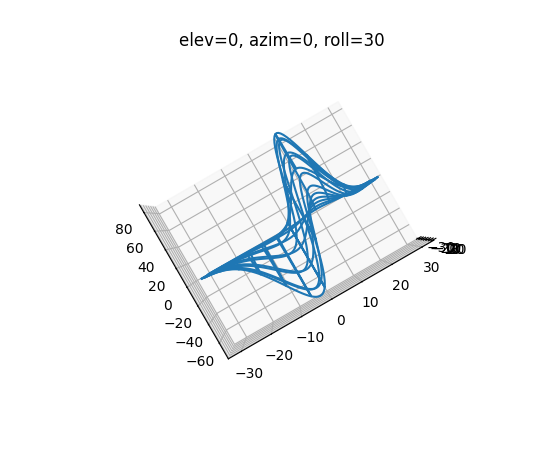
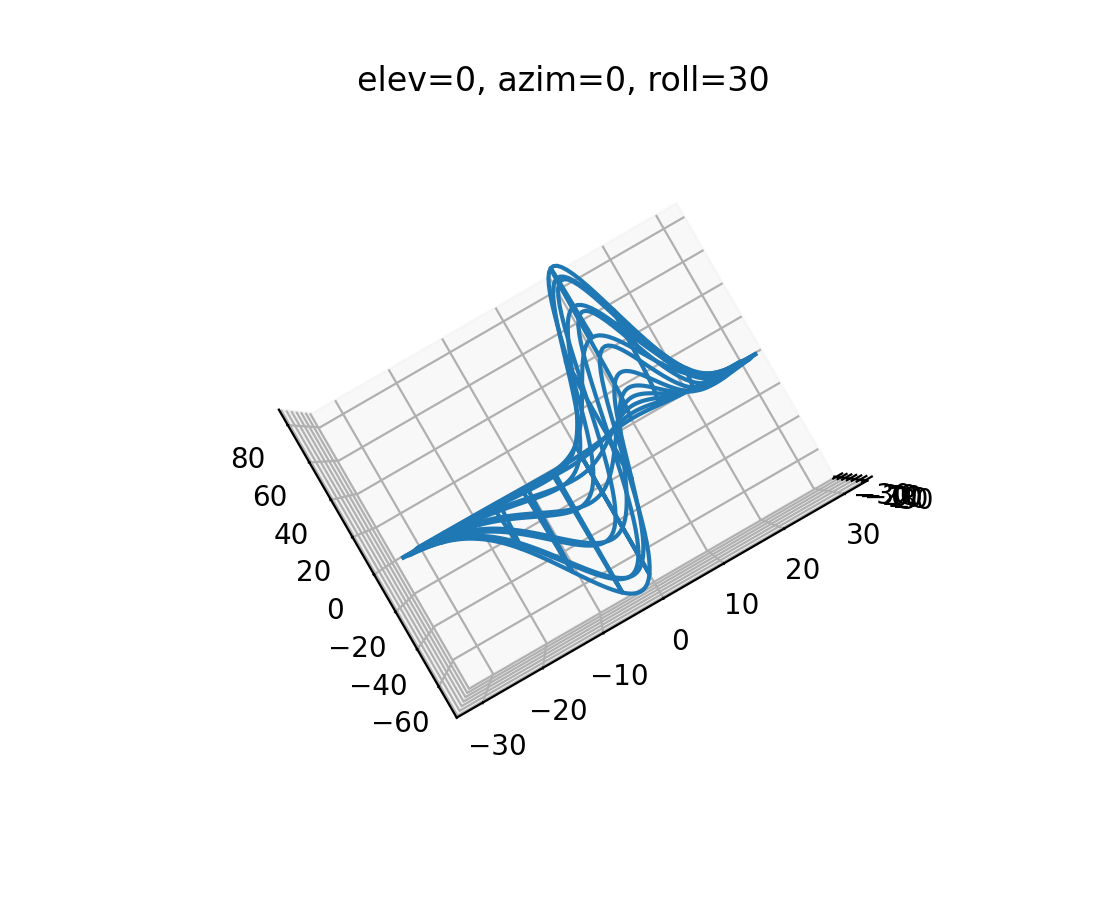
3D 图多了一个"翻滚"视角#
现在可以通过添加第三个翻滚角从任何方向查看 3D 图,该翻滚角围绕观察轴旋转图形. 使用鼠标的交互式旋转仍然只控制仰角和方位角,这意味着此功能与以编程方式创建更复杂相机角度的用户相关.默认为 0 的翻滚角与现有的 3D 图向后兼容.
from mpl_toolkits.mplot3d import axes3d

X, Y, Z = axes3d.get_test_data(0.05)

fig, ax = plt.subplots(subplot_kw={'projection': '3d'})

ax.plot_wireframe(X, Y, Z, rstride=10, cstride=10)
ax.view_init(elev=0, azim=0, roll=30)
ax.set_title('elev=0, azim=0, roll=30')
(Source code, png)
3D绘图的等比例纵横比#
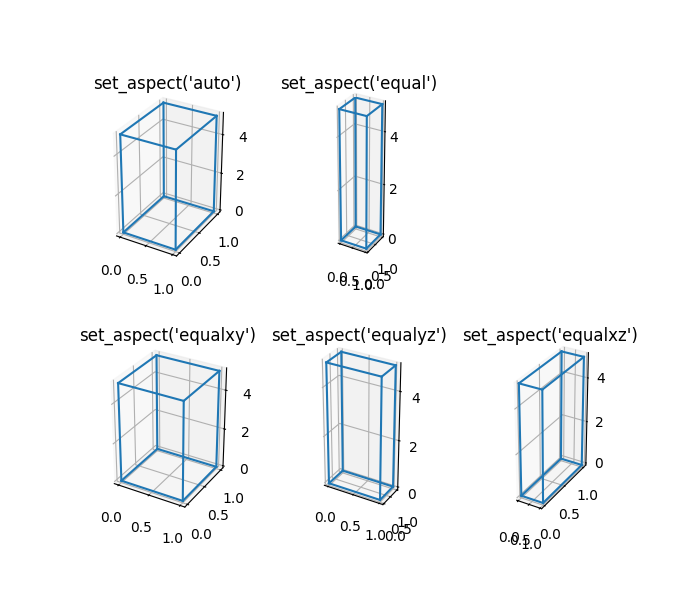
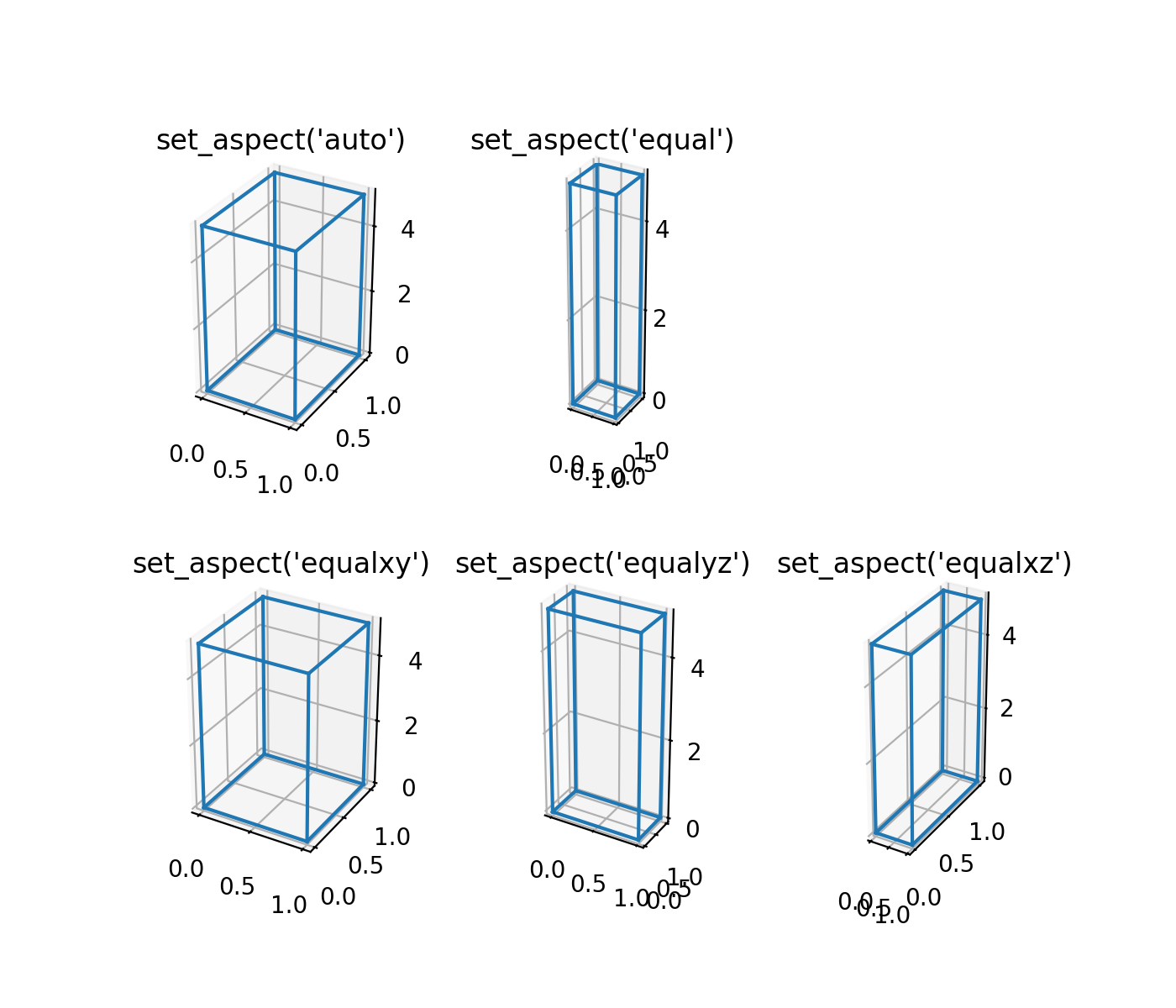
用户可以将3D绘图的X,Y,Z轴的纵横比设置为'equal','equalxy','equalxz'或'equalyz',而不是默认的'auto'.
from itertools import combinations, product

aspects = [
    ['auto', 'equal', '.'],
    ['equalxy', 'equalyz', 'equalxz'],
]
fig, axs = plt.subplot_mosaic(aspects, figsize=(7, 6),
                              subplot_kw={'projection': '3d'})

# Draw rectangular cuboid with side lengths [1, 1, 5]
r = [0, 1]
scale = np.array([1, 1, 5])
pts = combinations(np.array(list(product(r, r, r))), 2)
for start, end in pts:
    if np.sum(np.abs(start - end)) == r[1] - r[0]:
        for ax in axs.values():
            ax.plot3D(*zip(start*scale, end*scale), color='C0')

# Set the aspect ratios
for aspect, ax in axs.items():
    ax.set_box_aspect((3, 4, 5))
    ax.set_aspect(aspect)
    ax.set_title(f'set_aspect({aspect!r})')
(Source code, png)
交互式工具改进#
旋转,纵横比校正以及添加/删除状态#
现在可以在-45°和45°之间交互式旋转 RectangleSelector 和 EllipseSelector .范围限制目前由实现决定. 通过按r键('r' 是 state_modifier_keys 中映射到 'rotate' 的默认键),或者调用 selector.add_state('rotate') 来启用或禁用旋转.
现在,在使用 "square" 状态时,可以考虑坐标轴的纵横比. 通过在初始化选择器时指定 use_data_coordinates='True' 来启用此功能.
除了使用 state_modifier_keys 中定义的修饰键以交互方式更改选择器状态之外,现在还可以使用 add_state 和 remove_state 方法以编程方式更改选择器状态.
from matplotlib.widgets import RectangleSelector

values = np.arange(0, 100)

fig = plt.figure()
ax = fig.add_subplot()
ax.plot(values, values)

selector = RectangleSelector(ax, print, interactive=True,
                             drag_from_anywhere=True,
                             use_data_coordinates=True)
selector.add_state('rotate')  # alternatively press 'r' key
# rotate the selector interactively

selector.remove_state('rotate')  # alternatively press 'r' key

selector.add_state('square')
MultiCursor 现在支持跨多个图形分割的坐标轴#
以前, MultiCursor 仅在所有目标坐标轴属于同一图形时才有效.
作为此更改的结果, MultiCursor 构造函数的第一个参数已不再使用(它以前是所有坐标轴的联合画布,但画布现在直接从坐标轴列表中推断).
PolygonSelector 边界框#
PolygonSelector 现在有一个 draw_bounding_box 参数,当设置为 True 时,将在多边形完成后绘制一个边界框. 可以调整边界框的大小并移动它,从而可以轻松调整多边形的点的大小.
设置 PolygonSelector 顶点#
现在可以使用 PolygonSelector.verts 属性以编程方式设置 PolygonSelector 的顶点. 以这种方式设置顶点将重置选择器,并创建一个具有提供的顶点的新完整选择器.
SpanSelector 小部件现在可以捕捉到指定的值#
SpanSelector 小部件现在可以捕捉到由 snap_values 参数指定的值.
更多工具栏图标针对暗色主题进行了样式设置#
在 macOS 和 Tk 后端上,使用暗色主题时,工具栏图标现在会反转.
平台特定更改#
Wx 后端使用标准工具栏#
工具栏在 Wx 窗口上设置为标准工具栏,而不是自定义 size.
macosx 后端的改进#
以更一致的方式处理修饰键#
macosx 后端现在以与其他后端更一致的方式处理修饰键. 有关更多信息,请参见 事件连接 中的表.
savefig.directory rcParam 支持#
macosx 后端现在将遵守 rcParams["savefig.directory"] (default: '~') 设置. 如果设置为非空字符串,则保存对话框将默认为此目录,并保留后续的保存目录,因为它们已更改.
figure.raise_window rcParam 支持#
macosx 后端现在将遵守 rcParams["figure.raise_window"] (default: True) 设置. 如果设置为 False,则在更新时不会将图形窗口提升到顶部.
全屏切换支持#
与其他后端支持的一样,macosx 后端现在支持切换全屏视图. 默认情况下,可以通过按 f 键来切换此视图.
改进的动画和 Blitting 支持#
改进了 macosx 后端,以修复 Blitting,具有新艺术家的动画帧,并减少不必要的绘制调用.
在 Qt 后端上应用 macOS 应用程序图标#
在 macOS 上使用基于 Qt 的后端时,现在将设置应用程序图标,就像在其他后端/平台上一样.
新的最低 macOS 版本#
macosx 后端现在需要 macOS >= 10.12.
ARM 版 Windows 支持#
已添加对 arm64 目标上的 Windows 的初步支持. 此支持需要 FreeType 2.11 或更高版本.
目前还没有二进制 wheel 文件可用,但可以从源代码构建.